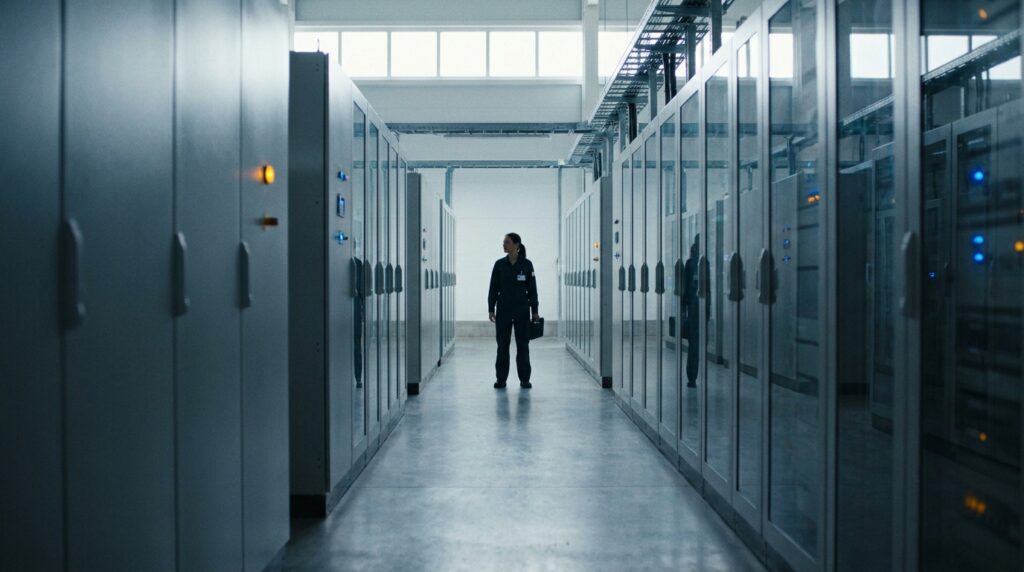
Imagine a worker in a warehouse right in the middle of peak season. An operator scans a container barcode, but his tablet freezes halfway through. Orders are stacking up. The device runs proprietary software. The backend system is across the other side of the country. The vendor is off-site, help just cannot wait, and no one is physically present.
That scene is precisely why enterprises need remote support. Rather than having an end-user bring the device back to the head office or have a technician drive out to the remote site, secure remote access can be established in seconds.
Guidance follows by chat or voice, while the screen is shared. If hands-on help is needed, ad-hoc sessions through a remote access solution allow safe access without a long setup. The result is deskside levels of technical support, only faster and much easier to scale.
Ahead, we’re going to explain how modern remote support works and where it came from. You’ll see core models, security controls, and when to pick attended or unattended workflows.
What is Remote Support?
Modern IT runs on speed and trust. Devices will fail, software will break, and users will be left unproductive. Teams need a way to act fast, even when no one is physically on-site to help.
Remote support refers to a support where support technicians can view and control a remote computer from another location. It’s a way for IT support teams to interact with a remote user’s device in real-time as if standing right in front of it. When IT teams adopt the remote support model, they can remotely access endpoints to run diagnostics, provide support, and keep users productive.
The goal is to solve issues for the end-user fast and safely. Typical tasks include configuration checks, installs, and troubleshooting issues on live machines.
Remote support can be referred to as remote IT support, remote technical support, and remote computer support. All describe the professionals helping people and devices from a distance via secure remote access tools.
From Legacy Tools to Modern Remote Software
VNC (Virtual Network Computing) began as a lightweight way to view and control desktops remotely. RealVNC, the founders of VNC technology, helped shape that core idea and improved it for business use over time. As enterprise needs outgrew the need for simple screen control, RealVNC Connect was developed to fill the gap between ad hoc remote access and proprietary tools like Microsoft’s RDP.
Today’s remote support software stack uses identity, policy, and observability. Auditors expect session recording and searchable trails, and operators expect features like file transfer and dependable endpoint management at scale. Service desks standardize on support software that guides support teams through both attended remote support and unattended remote support. Users can get help faster, engineers work in streamlined workflows, and compliance teams get evidence effortlessly.
VNC vs VPN and VNC vs SSH for Remote Computer Support
VNC enables application-level control over single sessions for a more scoped remote connection. A VPN for remote access (Virtual Private Network), on the other hand, enables users to access any network subnets and their endpoints and gateways that are configured alongside the connection.
SSH offers a command-line utility for remote Linux sessions, but VNC allows technicians full remote desktop with visibility and control of the user’s screen. Teams will often run both, but the right tool depends on the technical issues requiring mitigation.
How Remote Support Works
Remote support looks simple from the outside. One person clicks, another screen responds. From the user’s perspective, it’s all quite streamlined, but behind the scenes, a lot is going on.

Each of the steps, authentication, connection, and resolution, relies on policies that balance convenience with control. RealVNC Connect simplifies the process even further, so support teams can get from “ticket opened” to “problem solved” faster.
Session Flow: Authentication to Resolution (Remote Support Sessions)
In well-structured support teams, every remote assistance interaction follows a clear lifecycle. Each stage blends security, visibility, and efficiency so support teams can give the same level of support as some deskside or in-person.
- Intake and verification: A ticket arrives through one of your support channels (phone, chat, email, ticketing portal). Policy defines who can help, and the IT technician authenticates using multi-factor authentication before the remote connection begins.
- Session initiation: Once verification has been completed under a named account, the technician launches RealVNC Connect’s unified viewer to establish the secure link. The end user receives a prompt to approve the session, which confirms visibility and consent.
- Active support: The technician now uses screen sharing to view the desktop and perform actions like diagnostics and troubleshooting. With RealVNC Connect, the technician gets real-time performance metrics in a live sidebar to guide the workflow.
- Resolution and documentation: Each technical assistance session closes with a summary, performed as close to resolution as possible. Logs and screen recording capture who connected, what was accessed, and what actions led to the resolution. The technician can use these to document the steps to fix, and auditors have access to the detailed session logs.
Attended Remote Support and Unattended Access
Different jobs call for different remote support solutions. Attended remote support means the device being accessed is “attended” by a user at the time, giving permission for the connection to go through. It’s ideal for on-demand support, quick training, or live troubleshooting.
Unattended remote access allows the remote session to proceed without someone being present on the other end to grant permission. Sometimes this requires all users to be logged out and the remote technician to log in with their account (as with Microsoft RDP).
Other models allow a session to be established even if someone is currently logged on. Unattended access is used for remote servers or workstations that are often unattended, usually to push updates, deploy software, or provide support outside of office hours.
Ad-Hoc Help Desk: Secure Remote Assistance Without Pre-Install
Some organizations and educational institutions allow BYOD (Bring Your Own Device) endpoints. Having to support these unmanaged devices presents a challenge to support teams, as they do not typically have pre-installed remote control support software.
RealVNC’s HelpDesk and On-Demand Assist make remote assistance to BYOD devices simple and easy. A technician uses the Code Assist feature to generate a short-lived, one-time code, which is given to the user who needs support. The user downloads a disposable app from https://help.realvnc.com/, installs it, and then uses the code to grant access.
The session is encrypted by default, secure, and provides suitable logging because the technician who authenticated and initiated the support session does so using a named account.
Key Benefits and Use Cases
Remote support pays off the most where time is tight, users can’t wait, and you have a distributed workforce. The benefits of using the right remote support software will come in the form of increased uptime, more productivity, and streamlined service desk workflows.
Measurable Outcomes: Uptime, MTTR, and Remote Work Support
Faster fixes mean less downtime and significantly faster Mean Time to Recovery (MTTR). Engineers guide the end user in real time, and keep people productive wherever they happen to be.
Using remote support models means that IT support is no longer restricted to the head office—another huge benefit. Coverage can include mobile devices and mixed operating systems across offices, warehouses, and home networks.
Ad-hoc remote assistance can handle the one-off issues for contractors and vendors with next to no onboarding.
How Industry Sectors Apply Remote Desktop Support
Different environments place different demands on remote support.

Below, we’ll see how teams from different sectors apply it where uptime, compliance, and user impact matter most.
- Finance: Regulatory work, like financial services, needs evidence, remote control, and detailed logs that protect sensitive data. RealVNC Connect’s auditing records who connected, for how long, and from which account. This helps internal reviewers and external assessors access what they need with minimal impact on operations.
- Healthcare: Hospitals and clinics like the Southern Ohio Medical Center use remote access to diagnose servers and PCs connected to imaging systems and hospital infrastructure without interrupting wards and without travel. Secure sessions let engineers act quickly at the point of care, improving availability while respecting clinical workflows and staying HIPAA compliant.
- Education: District IT teams not only need to support distributed campuses the size of small cities, but thousands of unmanaged student devices at the same time. RealVNC Connect’s remote access for education helped the Kyrene School District manage over 12,000 workstations across 19 elementary and six middle schools—a clear demonstration of how scalable the platform can be.
- Manufacturing: Plant operators maintain rugged fleets and need to fix remote devices before production lines shut down. The Boston Valley Terra Cotta manufacturing company used RealVNC for faster issue resolution and accessing remote iOS devices that supported kilns and machinery. With RealVNC Connect for manufacturing, they were able to maintain 24/7 output.
Remote Access Software and the Key Features that Matter
RelVNC Connect focuses on the essentials that actually move the needle. File transfer for point-of-contact support, session recording for evidence and training, and multi-platform support that allows standardized access to different operating systems.
With RealVNC Connect, technicians get full remote desktop control, plus targeted remote assistance tools for quick, safe fixes for all industries.
Best Practices and Considerations
Strong remote support comes from clear policies, smart architecture, and playbooks that keep teams fast without ever putting control at risk.
Security Controls for Secure Remote Support Software
Start with roles that reflect the real work your organization does. Then bind every action to identity. Require multi-factor authentication for administrators and technicians. Consent should be asked on end-user devices before a session begins, and limit elevation to approved tasks only.
Recorded sessions should come with a written policy that clearly defines score and retention, and this should be a part of the onboarding process for all team members. Monitor events so that emerging security threats are spotted early rather than during post-incident reviews.
Encrypt all data at rest and transport, verify binaries, and keep allowlists for technician consoles and subnets only. Finally, train operators to narrate steps, capture notes, and close sessions cleanly (don’t leave admin accounts logged in, close any UAC-elevated applications) before disconnection.
Architecture Choices: Cloud-Brokered, Air-Gapped, Hybrid Remote Access
Select an access pattern that matches your risk model and support footprint:
- Cloud brokering via RealVNC’s VNC Cloud removes the need for major network and infrastructure changes for implementation.
- Air-gapped sites need local control, offline logging, and a deterministic change window. These environments are more suited to an on-premises self-hosted Management Console, with client and server rollout handled by existing software deployment tools.
Many organizations choose to blend the two in a hybrid design that scales well and satisfies IT and data policy.
Operations: Endpoint Management, Software Deployment, Software Updates
A well-thought-out operation keeps incidents low and rollouts predictable. Use these tips as your baseline:
- Maintain a golden image for endpoint management that retains the current working configuration, policy, and agents.
- Plan all software deployment in rings. Patch Dev and Test environments first, then production. Watch for health signals and pause as soon as any metrics drift.
- Schedule software updates during quiet hours. Confirm rollback steps in advance.
- Use unattended remote access for routine care and patching.
- Use standardized notifications to warn users of terminal services and workstations ahead of patching schedules.
- Route support requests through your helpdesk software with standard fields, tags, and closure notes.
- Review outcomes weekly and capture any lessons learned. Update playbooks with any major changes.
Performance: Bandwidth, Codecs, and Remote Responsiveness
Small tuning steps add up to a better experience for both technicians and users. Target fast input, stable video, and early detection:
- Use a remote support tool like RealVNC Connect, which has proven high-quality streaming with an adaptive codec that gives clear, lag-free sessions even across poor network conditions.
- Track metrics like hop count, jitter, and packet loss across multiple systems to spot areas of improvement to address with your network team.
- Prefer wired where possible, and use RealVNC’s cloud-broker where endpoints are behind firewalls, proxy servers, CGNAT, and public-facing unsecured internet.
Powering People and Uptime
Remote support has moved swiftly from a helpful utility to being a part of core infrastructure for modern business. With remote support solutions like RealVNC Connect, leaders gain visibility and control, and support teams can resolve issues faster without ever having to leave their chairs.
The end user gets help that feels immediate and personal, and doesn’t lose productivity to downtime.
RealVNC Connect brings security, scale, and a clean operator experience together all in one unified application. Use attended remote support for live guidance, and depend on unattended remote support for maintenance and upgrades.
The path forward is simple. Pilot RealVNC Connect for enterprise in your environment, measure time to resolution, and keep what works. Start with a trial by downloading the latest version and see how quickly reliable access turns into better outcomes for your people.
FAQs
What distinguishes RealVNC Connect from legacy VNC solutions?
Modern identity and policy control replace simple password gates. You get multi-factor authentication, granular permissions, audited logs, optional session recording, and safer file transfer. HelpDesk enables ad-hoc, code-based sessions, while on-prem controls support restricted environments.
How does remote support ensure data privacy and compliance?
Strong identity, least-privilege roles, and explicit user consent reduce risk. Multi-factor authentication protects entry. Teams enable session recording by policy and retain evidence for audits. On-prem deployments keep data local when regulations or contracts require it.
Can remote support be used across mixed operating systems and devices?
Yes. Multi-platform support covers major operating systems and mobile devices. Technicians use remote desktop control or view-only modes as needed. Performance tuning and permissions keep sessions responsive while protecting user data and business systems.
What are the most common challenges in deploying remote support?
Network policy, identity mapping, and team training cause delays. Address them with staged pilots, clear runbooks, governed unattended access, and tight integration with desk software. Measure outcomes, adjust policies, and expand once workflows are stable.