Today, it seems like IT teams are often managing more screens than an air-traffic controller. The core task is clear: to keep systems running, data secure, and maintain smooth and accessible remote desktop sessions.
Many organizations start with open-source platforms like TigerVNC because it’s free, familiar, and uncomplicated. Then scaling happens. Devices multiply, auditors arrive, and “who connected to what” becomes an increasingly difficult question to answer. Slowly but surely, the limitations start to show.
This is when TigerVNC alternatives move from a curiosity to a requirement. Leaders need remote connections that are fast, auditable, and easy to govern. It’s a brief that RealVNC Connect fits as it brings centralized controls, strong encryption, and clear activity visibility.
You get secure solutions that handle growth without outgrowing the platform. In the next sections, you’ll see what to evaluate, where open-source becomes more trouble than it’s worth, and how modern solutions like RealVNC Connect raise the bar for reliability.
What is VNC and Why Look for Alternatives?

Virtual Network Computing, or VNC, dates all the way back to the 1990s as a protocol that transmitted keyboard, mouse, and screen updates between two computers. Its simplicity is what ended up making VNC one of the most widely adopted remote access solutions.
TigerVNC was one of many open-source projects that extended the concept of VNC into an open-source tool that’s still used today. Open-source VNC tools like TigerVNC and TightVNC in particular remain useful for individuals, home labs, and some low-stakes support tasks.
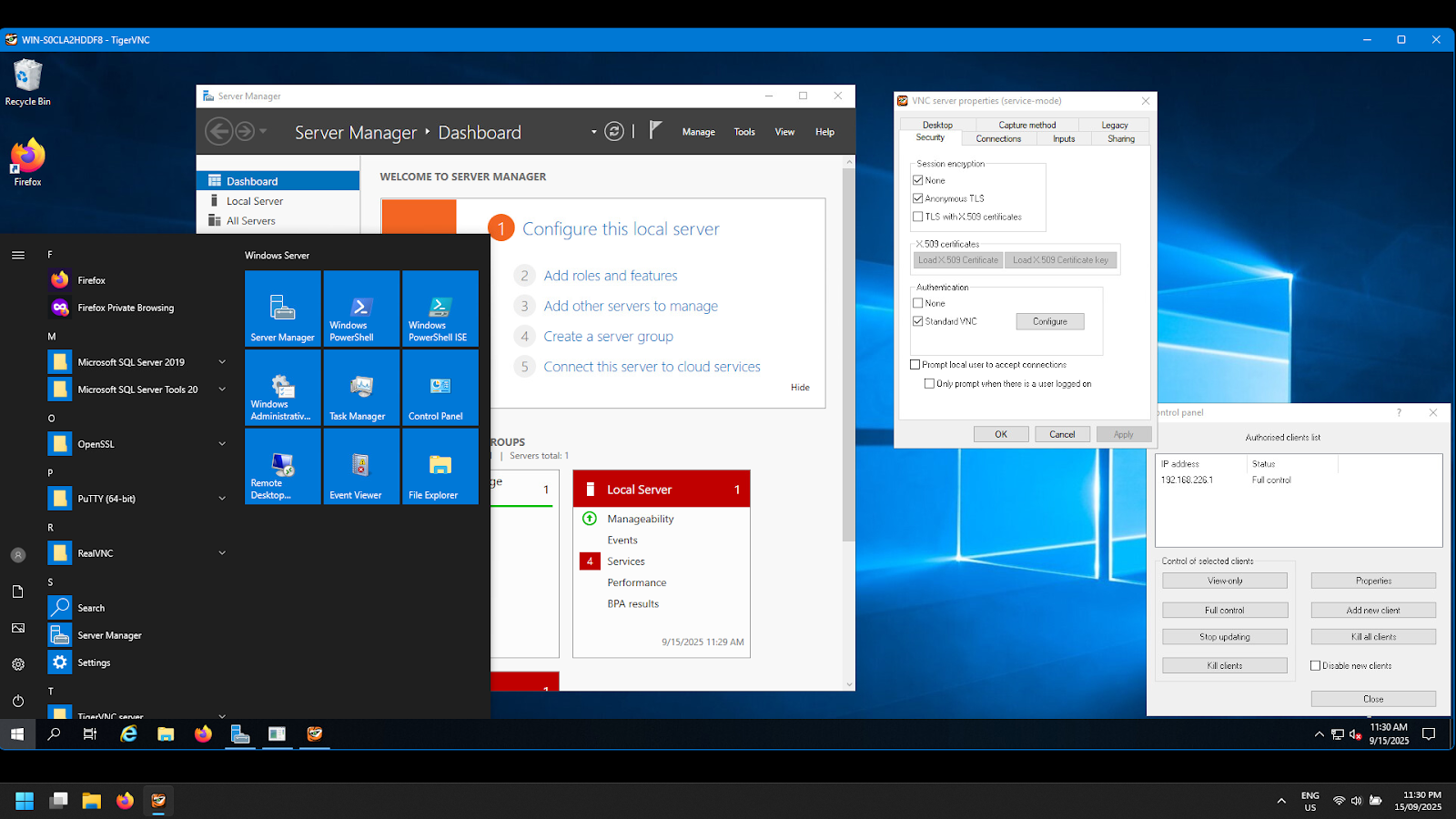
When these open-source VNC platforms are thrown into action within enterprises, their limitations quickly emerge. TigerVNC, for example, shifted its server-side focus to Linux, with the Windows server (winvnc) officially unmaintained since version 1.11 in 2020 — it still ships with the distribution but carries a warning that it “may not function correctly.” Enterprises that built a reliance on TigerVNC for Windows have been left scrambling for a replacement.
Encryption is supported via TigerVNC’s TLS extension, but it isn’t enabled by default and requires manual configuration on both server and client, which is easy to overlook, and easy to misconfigure at scale. Teams using TigerVNC also experience performance issues on high-latency, low-bandwidth connections, and basic session features that lack the visibility modern IT systems demand. Without clear audit logs or centralized management, it becomes difficult to track who accessed what and prove compliance. The latest release (1.16, January 2026) adds a new Wayland server component, but the broader gaps in audit trails, identity integration, and centralized policy remain.
A modern VNC alternative, like RealVNC Connect, addresses these shortcomings directly. Enterprise teams gain granular access, authentication controls, strong encryption out of the box, and an auditable record of every log connection.
How Modern VNC Remote Desktop Solutions Work
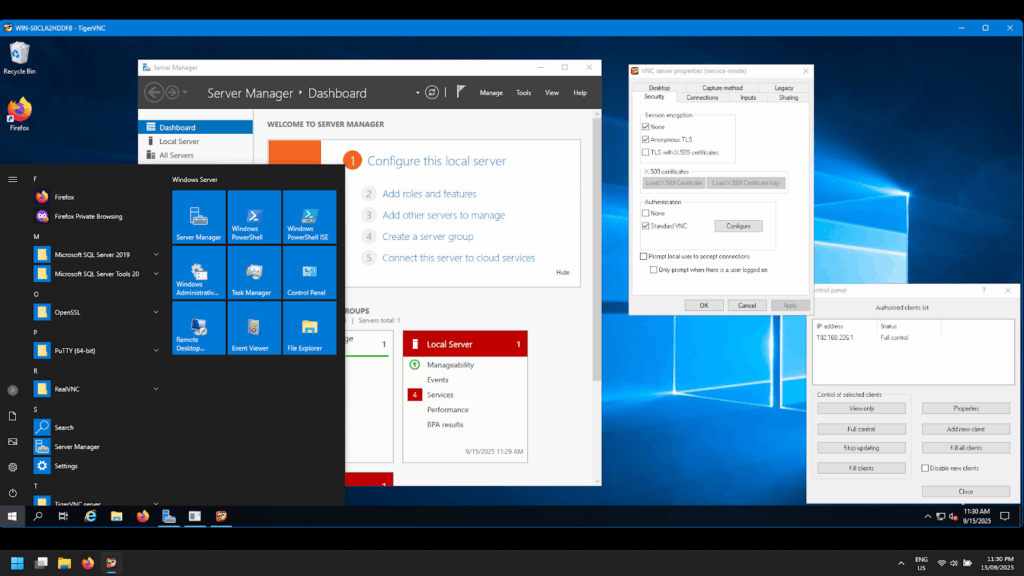
Image: Created by Author | A screenshot showing a TigerVNC session between Windows 11 and Server 2019
A modern remote desktop session begins when a client computer initiates a connection with a remote desktop server (in this case, a RealVNC Server). The process starts with user authentication, followed by encryption that protects all data in transit.
Once trust is established, the host transmits a screen version of the remote system while sending the client keyboard and mouse strokes, which are then replicated on the server in real-time. To maintain responsiveness, the platform must balance control speed with adaptive encoding compression of the video feed. The resulting remote desktop session needs to remain smooth and stable even across challenging network conditions.
Multi-Monitor Support and Performance
Modern teams rarely work on a single screen. Control rooms, design studios, and trading floors routinely run three or four displays per machine. Strong multi-monitor support means the viewer can detect every connected display on the host, switch between them on demand, or show all of them simultaneously on the client side. RealVNC Connect handles multi-monitor setups natively and adapts encoding per display, so a high-resolution CAD screen doesn’t drag down responsiveness on the secondary monitors. For users in industries like energy, manufacturing, and finance, where multi-screen workflows are the norm, this is often the feature that separates a usable remote session from a frustrating one.
RealVNC Connect builds on these fundamentals with enterprise-grade security features. Sessions are protected by end-to-end AES-GCM encryption (up to 256-bit) with Perfect Forward Secrecy, while web API calls to VNC Cloud use TLS 1.2 or higher. The platform integrates with SSO providers such as Microsoft Entra ID (formerly Azure AD) and Okta, giving teams centralized management access through their existing identity provider. The link between RealVNC Connect and your IdP means user provisioning and off-boarding flow through one system instead of two.
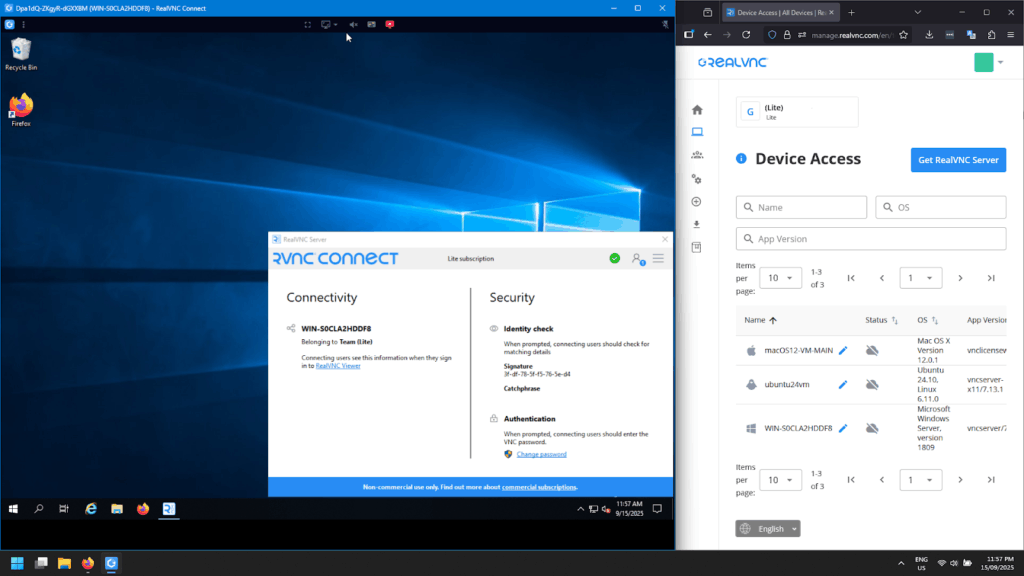
Image: Created by Author | A screenshot of a RealVNC Connect session showing the RealVNC Cloud console
The management console provides administrators with a browser-based hub to configure policies, track licenses, and show activity logs across every endpoint. Each log entry links back to the specific user, device, and session for fast incident review. Real-time notifications surface unusual sessions the moment they happen, so admins can respond before problems compound. This gives organizations a full audit trail to support compliance with frameworks like ISO 27001 and PCI-DSS.
RealVNC’s VNC Cloud service also simplifies connectivity. Each endpoint registers with the cloud-based connection brokering service and receives a secure token. This removes any need for port forwarding and risky DMZ firewall hole punching. The broker evaluates the network path and applies NAT traversal techniques and relays when required.
Combined with Code Connect for temporary guest and one-off sessions and web-based access via an internet browser, teams have flexible options to get remote access securely from nearly every environment.
Key Benefits and Use Cases
Modern organizations depend on secure remote access to keep users, machines, and apps all running and maintained in locations both inside and outside the office. RealVNC Connect delivers secure solutions with the right mix of session features, centralized control, and detailed notifications for administrators. Every connection to managed machines is logged so admins can show activity history on demand for any user, device, or time window.
Common use cases across various industries include:
Healthcare: A strict compliance requirement with HIPAA, full audit trails of connections, and visibility into who accesses clinical systems.
Manufacturing: Regulatory reporting and remote setup and assistance of production equipment with centralized oversight of industrial controllers via embedded remote access.
Energy: Distributed field devices and regulatory reporting.
Education: Management of remote labs and classroom devices on a huge scale.
MSPs: Delivery of client support with notifications, audit-ready reports, and multi-tenant management.
Evaluating TigerVNC Alternatives and Best Practices
Choosing your alternative to TigerVNC and open-source VNC tools starts with a clear look at security and performance. A free version can help teams prototype, yet using it in a productive environment needs more than patches and community fixes.
Encryption must be enabled correctly—something that can be quite difficult to enable and then scale using TigerVNC. Authentication demands central control, and audits should track every session without extensive use of custom code and processes.
TigerVNC can adequately supply the baseline client-side access. However, huge gaps appear in policy configuration, network switching, and organizations running a mixed environment of Linux, Windows, and macOS across LAN and the internet.
As mentioned earlier, encryption defaults and audit visibility are non-negotiable, but performance matters just as much as policy. A high-performance software platform should adapt to low-bandwidth connections and high-latency network paths, while still allowing high-speed streaming. Client-side responsiveness matters even more for users in remote field locations or working over consumer internet. If the experience is laggy and just feels wrong, support tickets are going to start piling up.
As a modern alternative to TigerVNC, RealVNC Connect has resolved the issues that plague open-source remote access solutions. Admins can resolve access problems faster with unified device views and detailed connection logs that show activity. The intuitive interface simplifies setup and session control, while Code Connect reduces the friction of providing ad-hoc connections for support. You simply share a 9-digit code via your preferred channel, get the host’s approval, and the session link is live in seconds.
Basically, you get secure solutions that scale to thousands of users, plus the depth to solve the everyday operational issues that appear in real production environments. Additionally, the answer to compliance audits stops being a scramble. Every connection, session, and policy change is logged and reportable.
Conclusion
Open-source tools like TigerVNC have their place among small projects and hobbyists, but most organizations outgrow them pretty quickly. Enterprise environments demand secure, auditable remote connections with configuration options that are reliable as they scale.
RealVNC Connect delivers exactly that. RealVNC Connect delivers the enterprise essentials: strong security, compliance-ready auditing, centralized management, and flexible deployment for connected or restricted networks. For teams moving beyond TigerVNC, it sets the standard for secure remote access at scale.
RealVNC Connect delivers exactly that. As an alternative built for the enterprise, it provides strong security, compliance-ready auditing, centralized management, and flexible deployment for connected or restricted networks — keeping remote connections fast and auditable as the fleet grows. For teams reviewing TigerVNC alternatives, it sets the standard for secure remote access at scale.
Talk to our experts today or download and trial to see how RealVNC Connect can support your business.
FAQs
What makes RealVNC Connect different from legacy VNC solutions?
RealVNC Connect adds enterprise-grade security, centralized management, and audit-ready access logs. Unlike open-source tools, it tracks every existing session and integrates with identity providers for full policy control.
How does Code Connect enhance guest access security?
Code Connect generates a 9-digit code valid for just 120 seconds, brokered through VNC Cloud. The host explicitly approves each session before it starts, both parties must be signed in to verified RealVNC Connect accounts (creating a clear audit trail), and IP addresses are never exposed. Once the session ends, the code can’t be reused, which eliminates the risk of ongoing access.
What are the best practices for deploying VNC in regulated industries?
At a minimum, admins should enable multi-factor authentication, enforce least-privileged roles, and maintain full audit logs. Using RealVNC Connect’s Management Console makes it easier to align with these standards.
What should organizations consider when evaluating VNC alternatives?
Review cross-platform support, policy configuration, and performance under high latency. Compare against native tools like RDP for feature depth, and assess whether the solution provides compliance reporting, vendor support, and the ability to deploy at scale.