TeamViewer offers pricing that can be a little opaque, so it’s a good idea to study it closely before committing to a year-long subscription. The total TeamViewer cost per year can end up being substantially higher than the standard figures quoted might suggest.
If you’re not already familiar with TeamViewer, let’s go over the basics quickly. It’s a remote access solution aimed at helpdesk professionals that enables your team to securely access any remote device for support purposes.
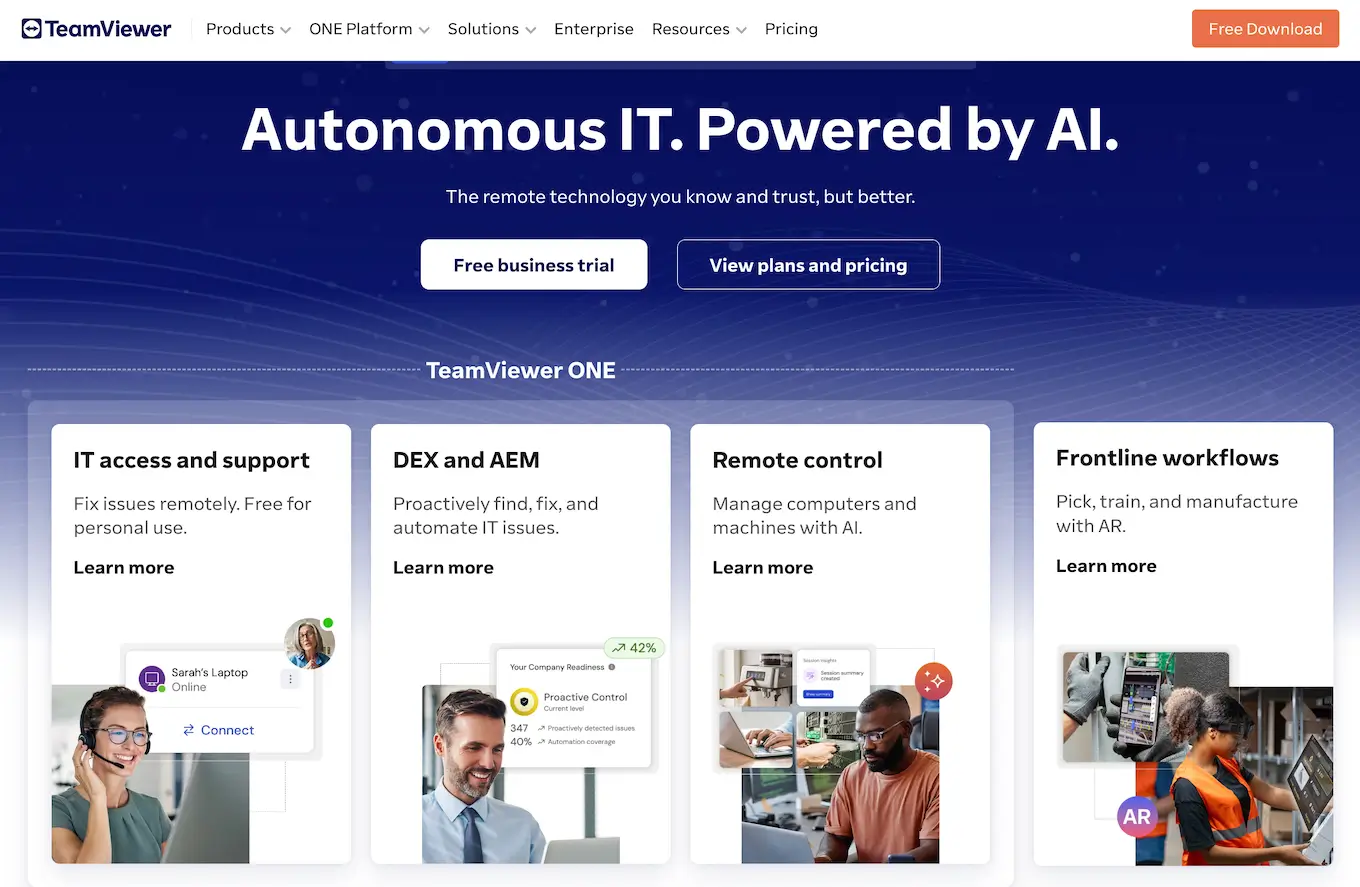
It also incorporates a number of premium features, although opting out of the ones you don’t need isn’t straightforward.
With that in mind, this article sets out to explain the TeamViewer pricing models for each of its annual subscription tiers as well as explore what you’ll get for your money.
What can you expect from the different TeamViewer prices?
It’s fairly common for business software solutions to come with a tiered pricing model, and this is the case with TeamViewer as well. However, the TeamViewer software price can also change depending on how many licensed users, concurrent sessions, or extra features you might want to use. These are charged separately, which can bump up the total cost quite significantly.
So, how much does TeamViewer cost? Let’s take a deep dive into the different pricing options and explore how they all work.
TeamViewer license pricing for individuals
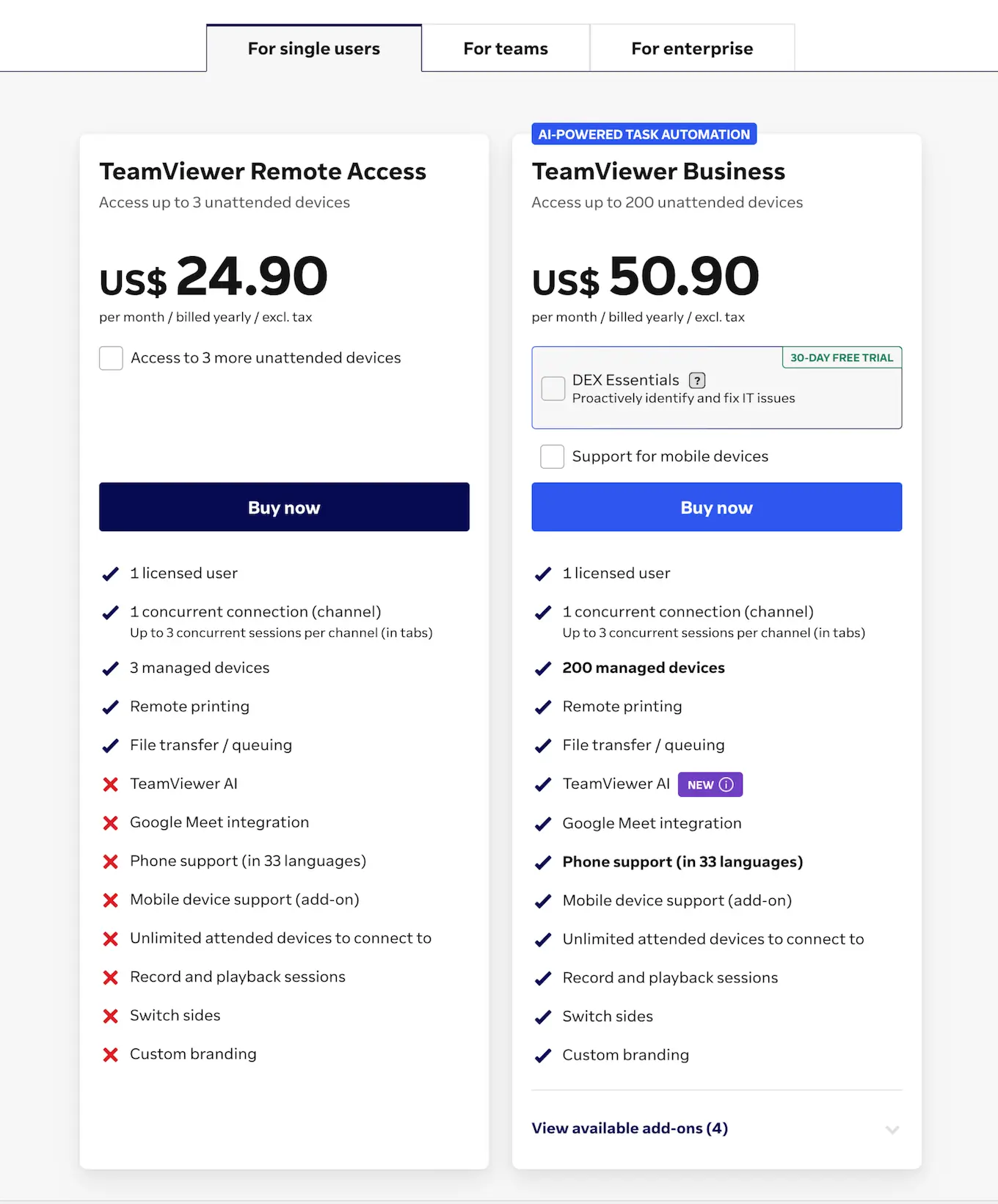
If you look at TeamViewer’s pricing page, they break down their plans into three categories: for single users, for teams, and for enterprise. For single users, they have two options:
TeamViewer Remote Access
Priced at $24.90 per month and billed annually, this plan ensures that professionals are compliant with TeamViewer’s licensing usage and adds several features not included with the personal use plan:
Remote printing
Wake-on-LAN
File transfer
File transfer queueing
TeamViewer web client
The plan also includes up to three managed devices, but if you need more you can add access to three more unattended devices. Doing so will increase your plan’s price to $49.80 per month, billed annually.
TeamViewer Business
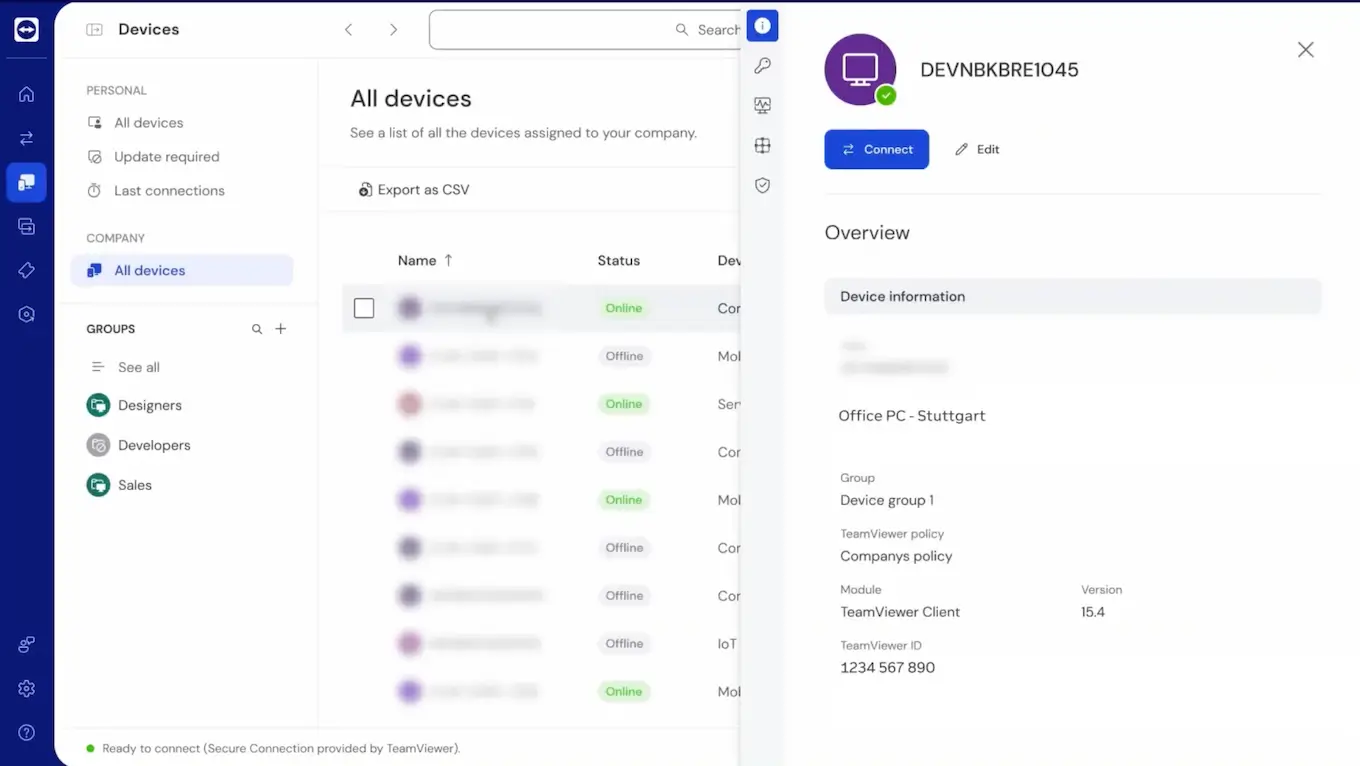
For individual users and small businesses that need more advanced remote access capabilities, the TeamViewer Business plan is a solid choice. At $50.90 per month, billed annually, it’s priced in line with the lower tier but gives you access to up to 200 managed devices by default. Additional features include:
Remote install TeamViewer Host
Remote terminal
VoIP, video, chat during remote session
Switch sides
Service queue
SOS button
Phone support
Unlimited attended devices to connect to
Record and playback sessions
Custom branding
The Business plan also introduces the DEX (Digital Employee Experience) Essentials add-on, which helps IT teams monitor device performance and user experience across endpoints. It tracks issues like slow devices, application crashes, and network quality, and supports basic automation to fix common problems before users report them. DEX Essentials is licensed separately and sits alongside TeamViewer’s remote access tools rather than replacing them. It’s unclear from the TeamViewer website what the add-on costs, as it’s provided as a free 30-day trial to start.
While this plan does allow support for mobile devices like iOS and Android devices, it’s considered an add-on, which will increase your plan cost to $63.85 per month, billed annually.
TeamViewer costs for team plans
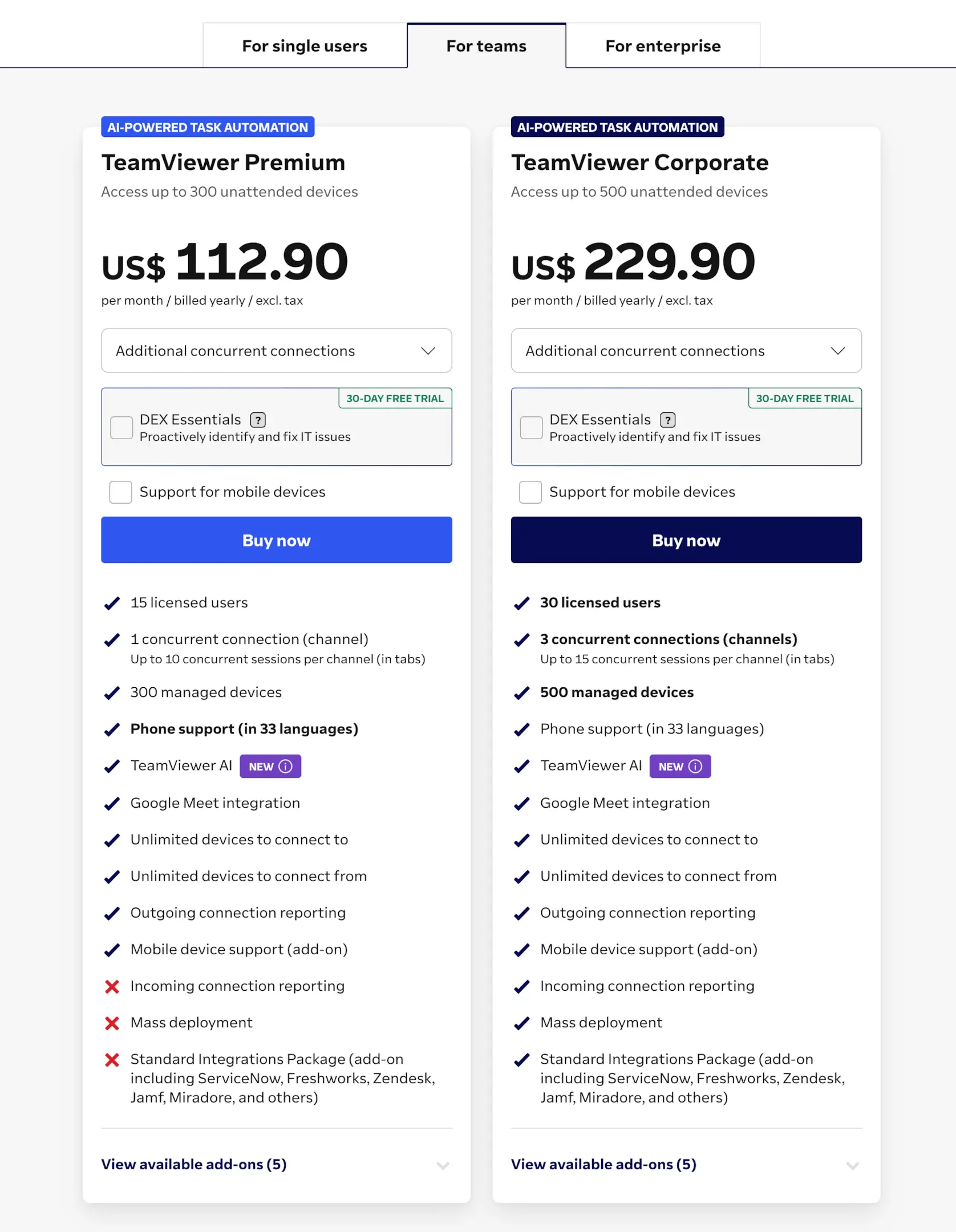
For organizations with multiple people who need to use their remote support tool regularly, TeamViewer has two options to consider. Both have optional add-ons and allow you to customize the number of concurrent connections, which is where costs can vary widely.
Understanding concurrent connections and concurrent sessions
One of the options that causes a lot of confusion is the idea of concurrent connections versus concurrent sessions. Since your selection here can have a major impact on your TeamViewer license cost, it’s important to fully understand both terms.
Concurrent connections (channel): This refers to the number of different users that can make an outgoing connection at the same time. So if you have 10 help desk representatives and your plan allows for one concurrent connection, only one of your reps can connect at a time. Any additional licensed users who try to connect will receive an error message.
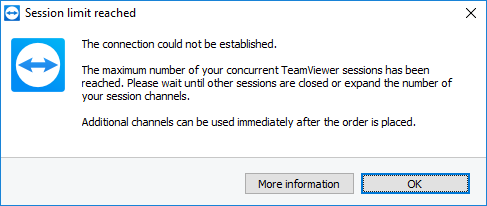
Concurrent sessions: In contrast, this is the number of simultaneous connections a single user can have to different devices within a single channel, using tabs. For example, if you had three licensed support team members but only one concurrent connection with your plan, one of them could initiate a remote connection channel and use it to connect to up to 10 different devices at the same time.
As you can imagine, these limitations might not affect a small team but would likely hinder productivity for midsize and large companies.
TeamViewer Premium
The Premium plan starts at $112.90 per month, billed annually. When you consider that this business tier allows for 15 licensed users, it’s an attractive option for IT support and customer service teams. This plan also includes features like:
Up to 300 managed devices
Outgoing connection reporting
Unlimited devices to connect from
User access reporting
Invite additional participants and session handover
Service case reporting
Customer satisfaction rating
Adding the optional mobile device support add-on raises the total TeamViewer cost to $125.85 per month (paid yearly), but the biggest cost increase will occur as you add concurrent connections.
Let’s say you have a team of 10 support staff and want to add two more concurrent connections so at least three of your reps can remotely access different devices simultaneously. Then the cost jumps to $301.55 per month (if you also include mobile device support). That’s $3,618.60 annually, which puts TeamViewer out of budget for many teams.
TeamViewer Corporate
Larger companies that have sizeable customer and IT support teams will likely align with TeamViewer’s Corporate plan. This tier starts at $229.90 per month, billed annually, and includes the following:
30 licensed users
Up to 500 managed devices
Three concurrent connections with up to 15 concurrent sessions per channel
Incoming connection reporting
Mass deployment (MSI)
Device access reporting
You can add optional mobile device support as with other plans, which will increase your cost to $268.75 per month, paid annually.
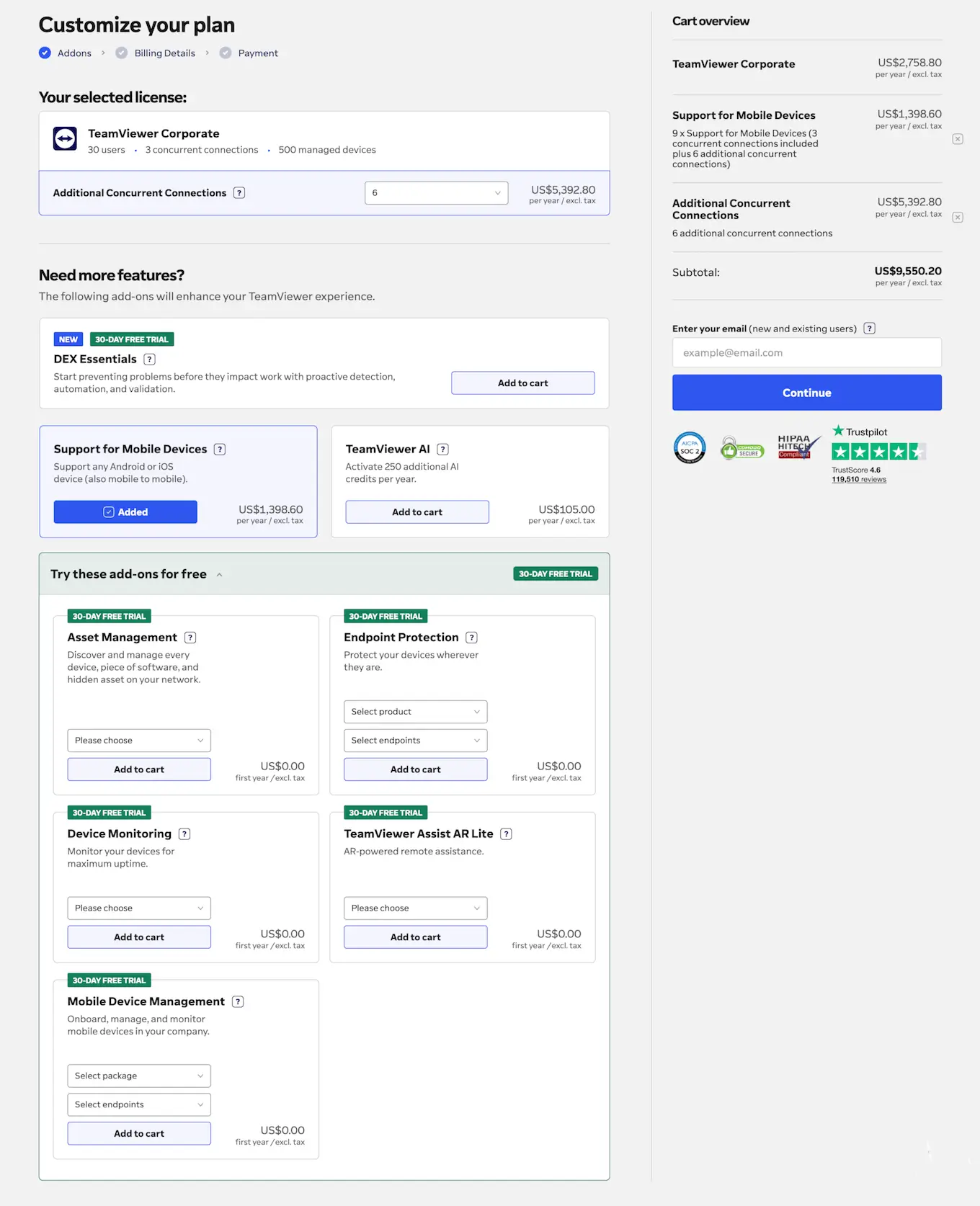
In the TeamViewer pricing example above, you can see that a company that needs the Corporate plan with six additional concurrent sessions and support for mobile devices will need to spend $9,550.20 per year! This illustrates how TeamViewer licenses can quickly become less cost-effective for larger companies.
TeamViewer enterprise license pricing
For larger enterprise businesses, TeamViewer subscription pricing is offered on a personalized, case-by-case basis. This means that it’s impossible to give a ballpark figure for TeamViewer’s pricing for enterprise use. However, we do know the features and optional add-ons that are available for TeamViewer Tensor users.
TeamViewer Tensor
Fully customized license
Single-Sign On (SSO)
DEX Essentials (as add-on)
Mobile SDK (as add-on)
TeamViewer AI
Enterprise integration (as add-on)
Enhanced mass deployment (MSI)
Auditability (audit log and API)
Is the cost of TeamViewer worth it?
So, how much does a TeamViewer license cost, and is it worth the price? The TeamViewer license cost is quite high compared to the competition, so it’s important to ask whether the TeamViewer pricing options represent good value for money.
For one thing, the license price isn’t as transparent as it might seem due to the add-ons that can significantly bump up the final cost. Since many businesses likely want to support mobile devices and integrate with other applications, the topline figure quoted will usually not be the price you’ll actually end up paying. Not to mention, in 2023, there was a TeamViewer price increase on commercial licenses, so you can likely expect future increases.
Why choose RealVNC?
If you’re looking for a TeamViewer alternative, you could consider RealVNC® Connect, which uses a much simpler pricing structure and is available at a more affordable price point. You can choose between four easy-to-understand pricing plans, and everything is included in one subscription.
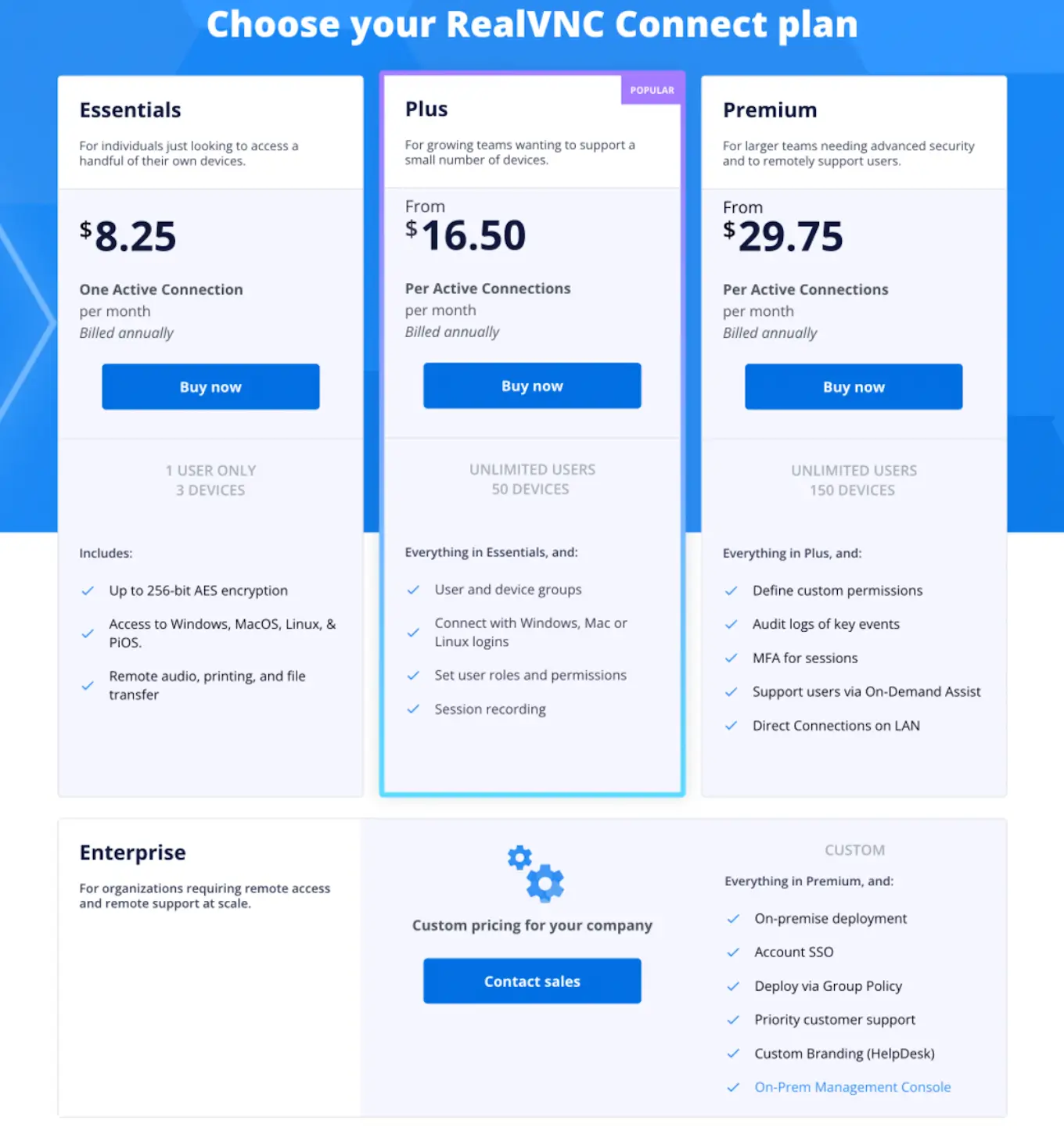
In addition to its cost, TeamViewer has other limitations compared to RealVNC Connect. The licensing model is more complex and less flexible, especially for companies with distributed or remote-first teams.
TeamViewer licenses are assigned to named users and are tied to specific plan limits around managed devices, concurrent connections, and sessions. As your team grows, you often need to purchase additional user seats, channels, or add-ons to allow multiple people to connect at the same time. This structure works well for traditional helpdesk teams but becomes restrictive when many employees need regular remote access.
For organizations with a large remote workforce, this can drive costs up quickly. You may need to upgrade plans or add concurrent connections simply to avoid connection bottlenecks, even if your usage patterns are relatively light. In practice, this means the real-world cost of TeamViewer often ends up much higher than the base price suggests.
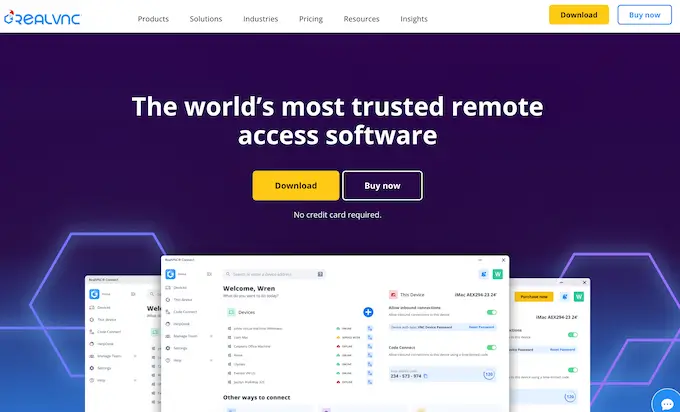
With RealVNC Connect, on the other hand, you can license 150 devices and five technicians on a single subscription. Plus, multi-platform compatibility included in all plans simplifies setup with a single solution that works across Windows, Mac, Linux, and Raspberry Pi, as well as mobile devices. Your technicians can then access any employee or client computers and provide support instantly, since it’s the individual who’s licensed and not the device.
Remote access software built around security
Another area where RealVNC Connect comes out ahead is security. When you want to create a cloud connection to a remote device, it happens in two stages.
First, you sign into your RealVNC account using the RealVNC Connect unified app, or the Viewer app if you prefer the classic setup. Then, to enable remote control, you authenticate via the RealVNC Server component running on the remote device, which can be used as part of the unified app or as a standalone server installation. This separates account access from device access and reduces reliance on a single credential.
With TeamViewer, additional configuration is often required to reach a hardened security setup. You can even use TeamViewer’s basic installation without signing into an account, which means that your remote computer is protected only by a device ID and password, making it more vulnerable if strong access policies are not enforced.
In contrast, RealVNC is the only remote access solution to have undergone a published white box security audit, and its company-wide ISO 27001 certification supports a broader commitment to information security. Some of RealVNC’s security features include:
End-to-end encryption
Brute force protection
Granular permissions
Privacy mode
On-premise (offline) deployment mode
Secure cloud brokering
Ring-fenced devices
Overall, the TeamViewer packages include many features that most businesses won’t use. This can increase setup complexity and training effort, and it can raise costs without delivering clear security benefits.
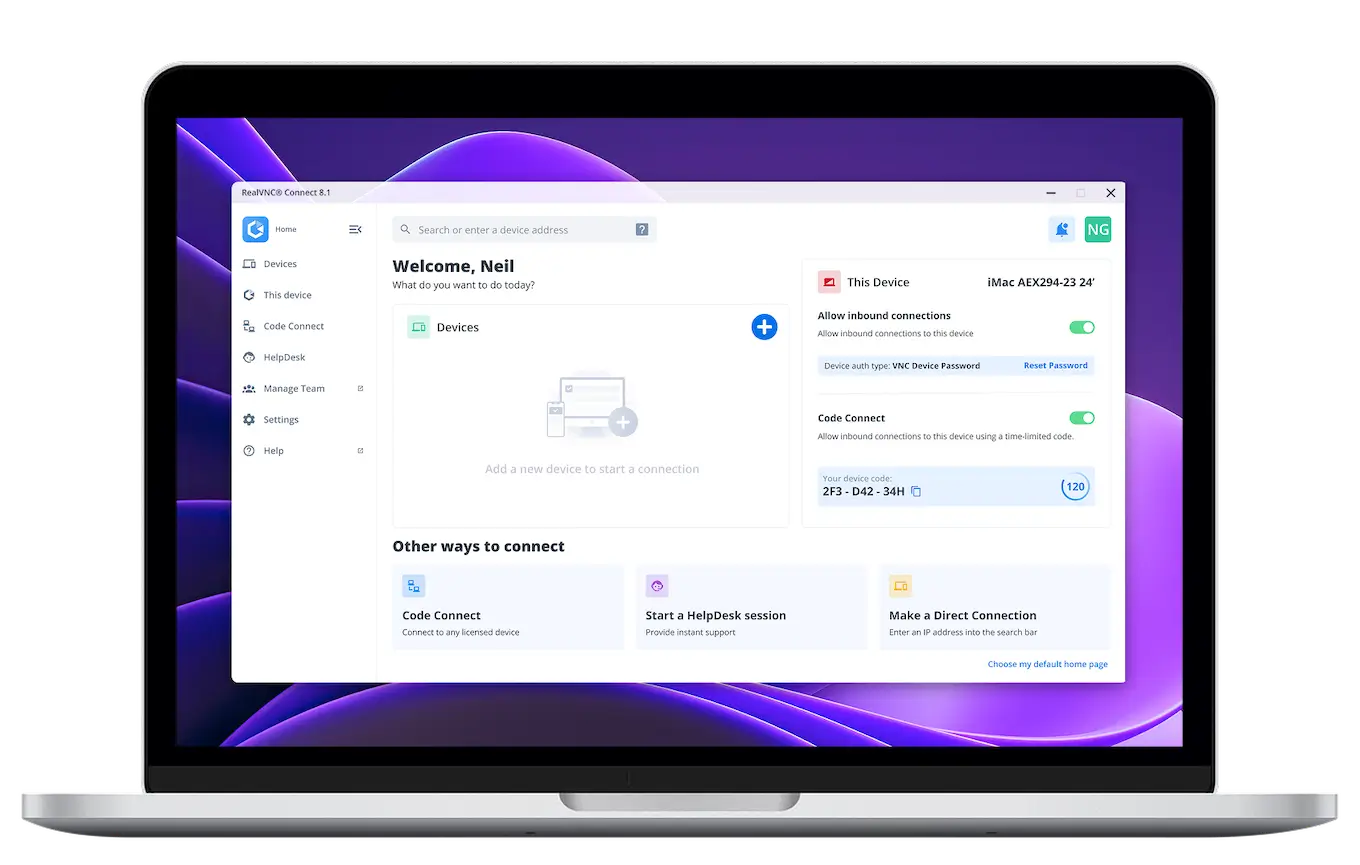
RealVNC Connect provides a streamlined, easy-to-use interface that anyone can master quickly. This makes it very straightforward to roll out across your whole company, allowing everyone to take advantage of the benefits of remote device access and support.
If you’d like to learn more about how to implement a remote access solution in your organization, a RealVNC expert will be more than happy to help. You can also try it out for yourself with a 14-day free trial!
FAQs
Is it possible to pay with a TeamViewer monthly plan?
No. Although the TeamViewer pricing plans are quoted by the month, there are no TeamViewer monthly subscriptions. All packages are billed annually on an automatic renewal basis.
Does TeamViewer offer an education price?
Yes. The TeamViewer education pricing policy offers a discounted standard TeamViewer subscription to educational establishments and non-profit organizations. You must apply on the site to establish eligibility, after which you’ll receive a quote.