This release is one of those “something for everyone” ones.
There’s a redesigned home screen that makes finding and connecting to your devices quicker, single sign-on support for Windows devices, and a handful of smaller improvements that make day-to-day use a bit smoother.
For our Enterprise customers, there are two stand-out features you’re going to want to check out — Web Viewer for On-Prem and Session Authentication via SSO. We are very excited about these ones and reckon you’re going to be too.
Here’s the full rundown.
A simpler, more intuitive home screen
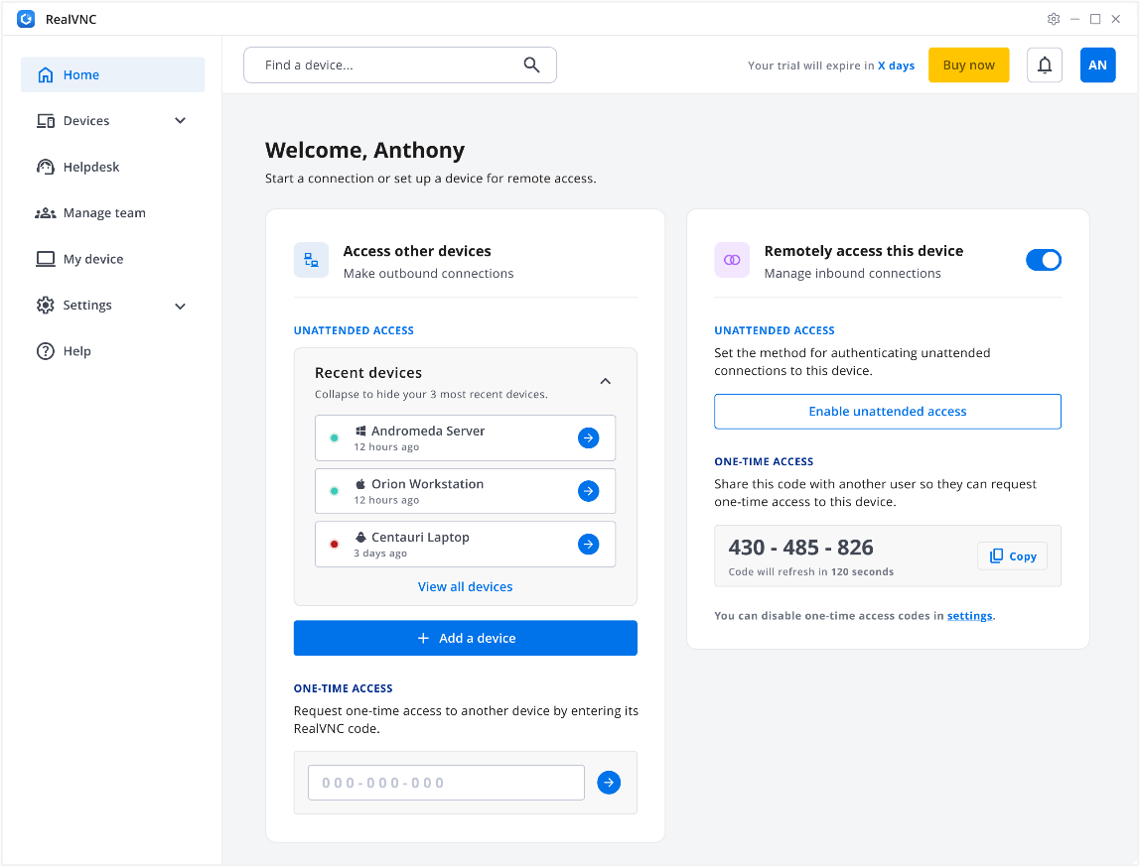
When we launched our new look with Version 8 last year, we said it was just the start. Well, in this release, we’ve come back to the home screen and completely refreshed it.
The new dual-pane layout puts outbound connections (the devices you connect to) on the left, and inbound connections (devices connecting to you) on the right. Everything’s there in front of you, neatly laid out so it’s easy to perform the key actions you need to.
A few other things worth knowing:
- Recent Devices gives you one-click access to the devices you use most, so you’re not scrolling through a full list every time.
- Code Connect, our one-time access feature, now shows on the home screen for quick access rather than being tucked away in the side menu.
- The RealVNC Connect Viewer app gets the same redesign, so the experience is consistent whether you’re initiating a connection or being connected to.
Web Viewer for On-Prem: Connect Straight from Your Browser (Enterprise)
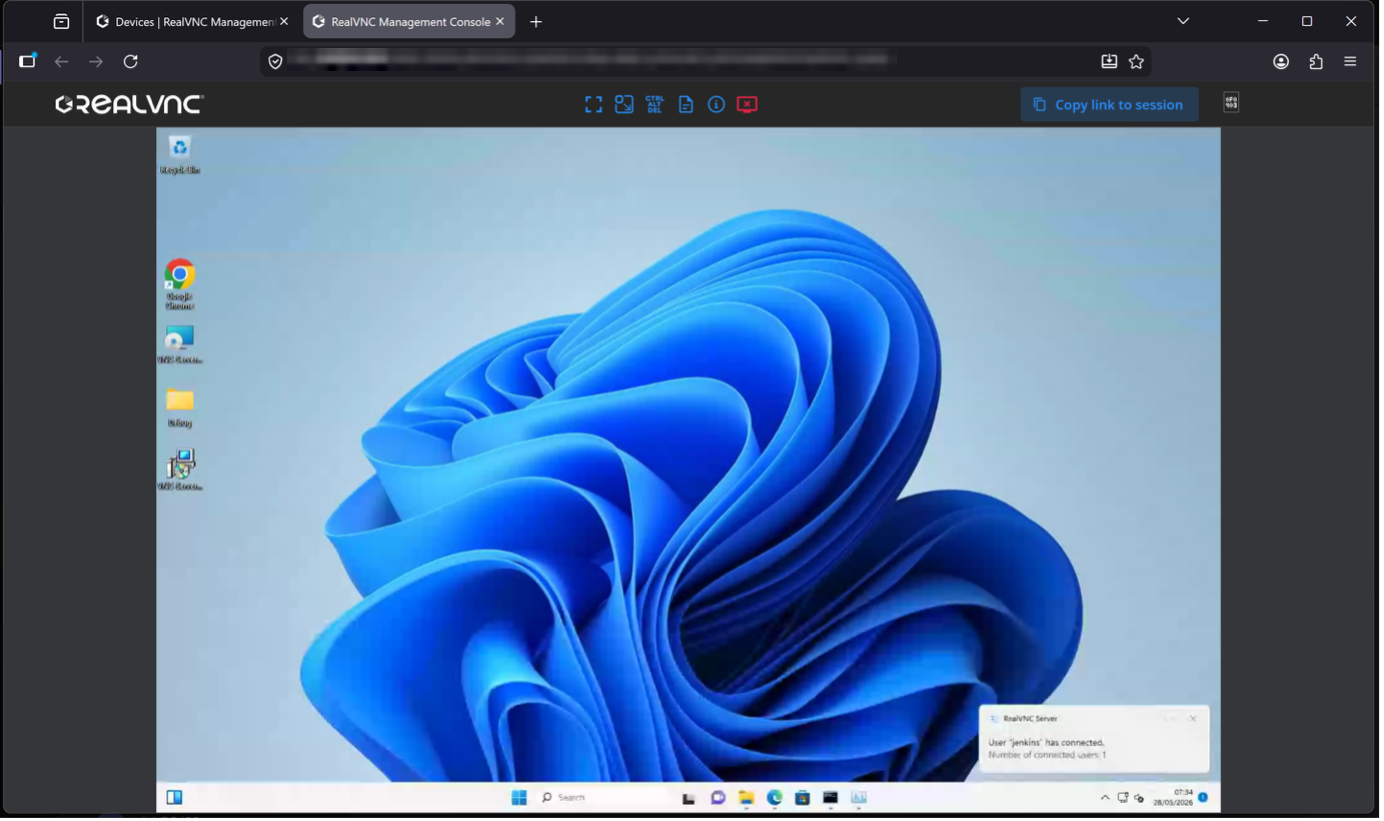
This is the headline feature for Enterprise customers this release: Web Viewer for On-Prem.
You can now connect to remote devices straight from your browser — no need to install or open the RealVNC Viewer desktop app at all. That’s especially useful if you’re connecting from a machine where you can’t (or don’t want to) install software, or you just want one less app to manage.
To use it, you’ll need:
- On-Prem Management Console 3.1.0 or later
- RealVNC Server 7.18.0 or later installed on the devices you’re connecting to
Read our help article: On-Prem Management Console – Web Viewer
Sign in once with Entra ID SSO for Windows devices (Enterprise)
If your organisation already uses Entra ID for account sign-in, you can now extend that same single sign-on to authenticate connections to remote Windows devices.
Once it’s configured, users who are already signed in don’t have to re-enter credentials to connect to the devices they’re assigned to, making for a much smoother experience.
See our help article: ‘Setting up Cloud SSO Authentication’
Screen Blanking: now with a custom image
Screen Blanking already shows the connecting user’s name and IP/cloud address when someone’s working on a device remotely, so anyone walking past knows it’s in use. You can now display a custom image on that overlay too, making it instantly recognisable at a glance.
Audit logs now cover more activity
Audit logging has been expanded to include file transfer, session recording, and chat start/end events. If you’re troubleshooting an issue or need to demonstrate compliance, that’s a much fuller picture of what happened during a session, not just that a session took place.
Bug fixes and improvements
Alongside the headline features, this release also brings a round of fixes, including:
- Connecting to devices with multiple monitors no longer causes the app to crash.
- Corrupted user preferences files are now automatically repaired, instead of causing connection issues.
- The proxy settings page is now accessible directly from the sign-in screen, making it easier to configure before connecting.
Want the full technical detail? Check out the Release Notes for a complete breakdown of what’s changed.
Got a question? Start with our Help Center and if you can’t find what you need there, our Support Team is on chat and happy to help.
These features are only possible from the feedback we get from you, our customers. So, if something here helps, or if there’s something you’d like to see next, we’d genuinely love to hear about it over on our Community!