AnyDesk pricing can be just as confusing as any of the other remote desktop software packages available nowadays. How do you know if the subscription you’re considering will actually give you value for your money?
We’re here to help. This article takes a close look at the various AnyDesk plans currently available and asks whether the features included make the cost of AnyDesk worth it.
What is AnyDesk?
If this is your first foray into remote access, let’s start at the beginning: AnyDesk is a well-known remote access software solution for businesses. It works across various operating systems, including Windows, macOS, Linux, Android, and iOS. Many organizations use it as part of their IT remote support processes, and it’s been a firmly established name in the industry for some years.
Let’s take a look into exactly what you get for each different AnyDesk pricing plan.
AnyDesk pricing plans
AnyDesk does offer a free version for personal use, but it comes with significant limitations and isn’t suitable for professional use or business environments.
The company offers four paid plan options: Solo, Standard, Advanced, and Ultimate. Their plan pricing varies depending on included features, the number of users, and the number of devices you want to manage.
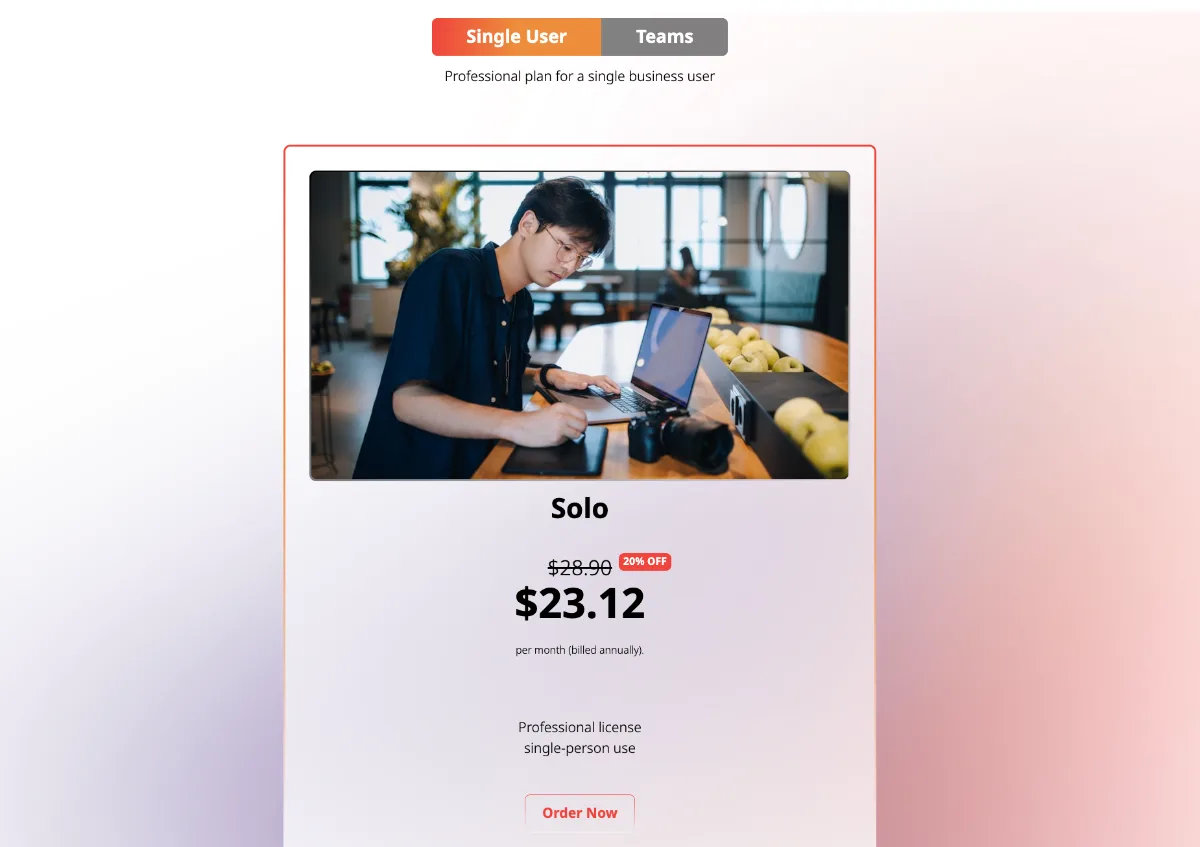
Screenshot from AnyDesk website
Your options range from a basic option designed for a single user to a fully customized enterprise solution.
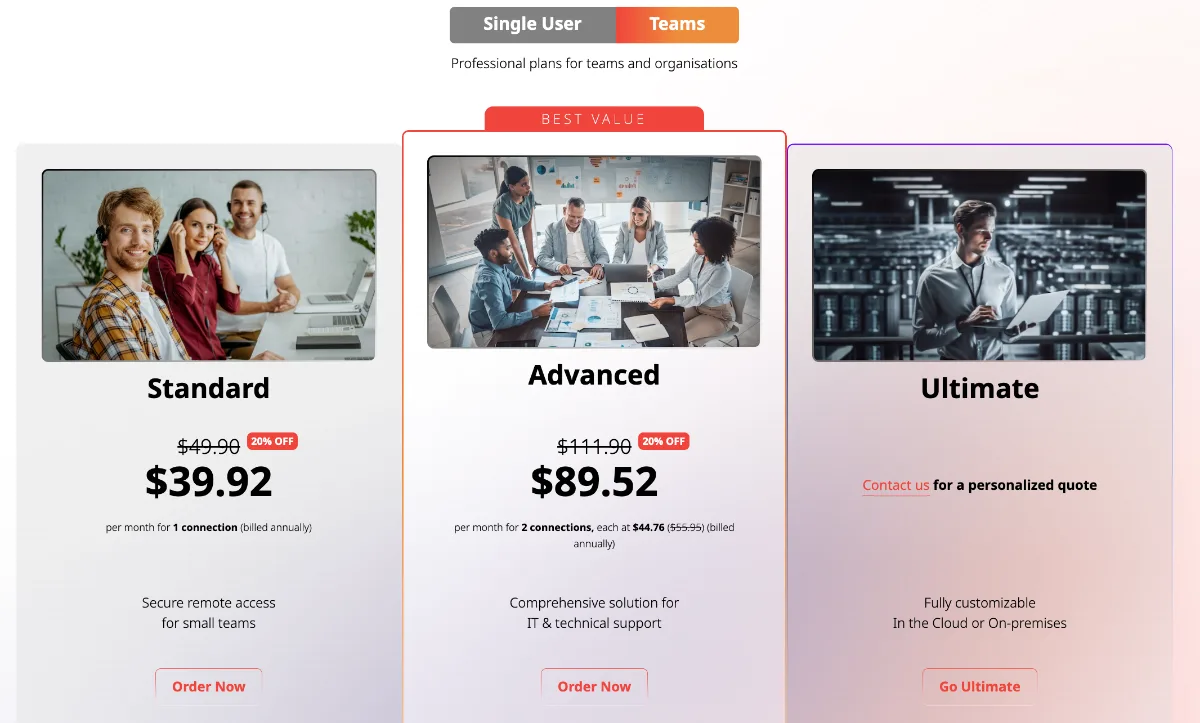
Screenshot from AnyDesk website
Standard features across all plans
While functionality can vary from one plan to the next, here’s a list of AnyDesk features available in all of the plans:
- Mobile Device Support (Android & iOS)
- File Transfer
- Remote Restart
- Remote Printing
- Wake-On-LAN
- Two-Factor Authentication
- Custom Alias
- Address Book
- Access Control List
- Privacy Mode
- Screen Frame
- Auto Disconnect
- Lock Remote Desktop
- Session Recording
- Screenshots
- Text Chat
- Whiteboard
- Session Invitation
- Help Center
Now we’ll explore each of the licenses AnyDesk offers in more detail.
AnyDesk Solo
At $28.90 per month, billed annually, the Solo AnyDesk plan includes:
- One licensed user
- One connection (not scalable)
- Three registered devices to connect from
- Support for up to 100 managed devices (unattended access)
- The ability to connect from up to three registered devices
- Unlimited connections to users and devices (user-accepted sessions)
- Remote work feature set
- Mobile device support (Android and iOS)
The Solo package is targeted at self-employed individuals who need to offer remote support capabilities for professional use. In other words, this AnyDesk price plan would suit IT professionals who provide support services to customers from a home office.
AnyDesk Standard
At $49.90 per month, billed annually, the Standard AnyDesk plan includes:
- Up to 20 licensed users
- One connection (with the option to add up to 20 more)
- Support for connection to unlimited devices (attended)
- Support for up to 500 managed devices (unattended access)
- Unlimited connections to users and devices (user-accepted sessions)
- User management
- Custom-branded AnyDesk app
- Namespace add-on
- Online session logging
- Available remote worker add-on
- Available managed devices add-on
- Mobile device support (Android and iOS)
- TCP-Tunneling
- Switch side in-session
- Six address books
- Session history
- Central management
- Custom client generator
- REST API
- Branding
- Permission profiles
- Ticket/live chat technical support
This is the best value option for small teams. Personal tech support and a customer success manager come as part of the package, so if you have any issues, you should be able to resolve them quickly without extensive downtime.
Screenshot from AnyDesk Remote Support page
AnyDesk Advanced
At $111.90 per month, billed annually, the Advanced AnyDesk package includes all the features of the Standard plan, plus:
- Up to 100 licensed users
- Two concurrent connections (with the option to add up to 50 more)
- Support for connection to an unlimited number of attended devices
- Support for up to 2,000 managed devices (unattended access)
- Unlimited connections to users and devices (user-accepted sessions)
- User and role management
- Command-line interface
- Mass deployment (MSI)
- Windows Group Policy
- A custom client generator
- Online session logging
- Mobile device support (Android and iOS)
- 16 address books
- Mobile device management
- Live phone support and a dedicated support team
If you’re looking for a comprehensive business remote access solution that includes professional features and functionality, this is a great choice.
In addition, if you’re concerned about AnyDesk security, you’ll find that this plan includes features like predefined permission management and advanced user management functionalities.
AnyDesk Ultimate
On the other end of the usage scale, businesses that need more from their remote access solution or have a large help desk team could consider the AnyDesk enterprise package. This is a customizable solution based on what your company needs, so pricing requires a sales consultation and custom quote.
The AnyDesk Ultimate enterprise package includes all the features of the Advanced plan, plus:
- Starts with five licensed users and allows for unlimited add-on users
- Support for connection to an unlimited number of attended devices
- Support for up to 2,000 managed devices (unattended)
- Full organization management
- Custom namespace
- Remote support module
- Available CRM and ITSM integrations
- AnyDesk Assist
- Session requests
- Unlimited and role-based address books
- An on-premises option
- Single Sign-On (SSO)
- Dedicated support team
This is the AnyDesk premium offer, and it can be an excellent choice for larger companies.
Is the AnyDesk price worth it?
This is a good question, although it’s not straightforward to answer. Given the fact that the AnyDesk pricing plans can vary so much, a lot depends on your budget and exactly how you’re planning to use your remote access software.
It’s noticeable that some features that most companies would probably find really useful don’t kick in until the highest tiers. On the Standard tier, for example, there’s only limited group permissions-setting functionality and no phone support at all.
So, it’s not surprising that many organizations are turning to AnyDesk alternatives.
How RealVNC Connect compares
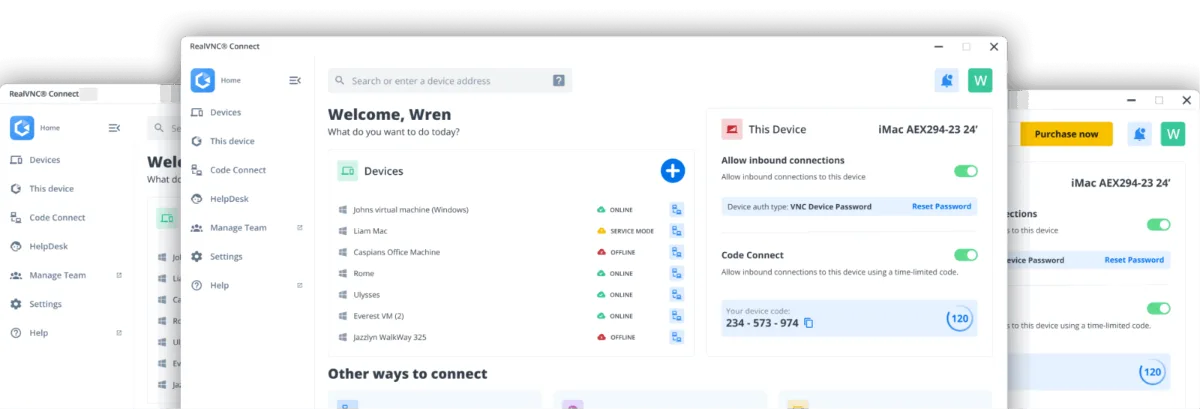
One area where RealVNC Connect really shines in comparison is security. You not only benefit from 2FA account authentication with device authentication enabled by default, but you can also rely on our stringent security posture that follows these four principles:
- You don’t have to trust RealVNC as a company to trust our software and services
- We do not record your sessions, and data cannot be decrypted now or in the future
- Every connection is treated as though it is made in a hostile environment
- The owner of the remote computer ultimately decides who is able to connect
Stronger compliance credentials
For teams in healthcare, finance, or other regulated industries, RealVNC Connect supports compliance with HIPAA, PCI-DSS, and the EU NIS2 directive. Our US data center facilities are also certified to SOC 1, SOC 2, and SOC 3 standards.
RealVNC has completed an independent white-box security audit by Cure53 and holds ISO 27001 certification across the entire organization, not just for data center partners like AnyDesk.
Different security track records
In February 2024, AnyDesk disclosed that attackers had compromised its production systems, gaining access to source code and code signing certificates. The company was forced to revoke security certificates and reset all customer portal passwords. While AnyDesk maintained that the situation was under control, the incident raised serious questions for organizations in regulated industries.
RealVNC Connect has no comparable breach history.
Straightforward pricing that’s easily scalable
With all this, you might be wondering how the RealVNC pricing options compare. RealVNC Connect’s pricing model is designed to be both affordable and fully flexible. While AnyDesk pricing has increased substantially over the past year, RealVNC’s plans have remained consistent.
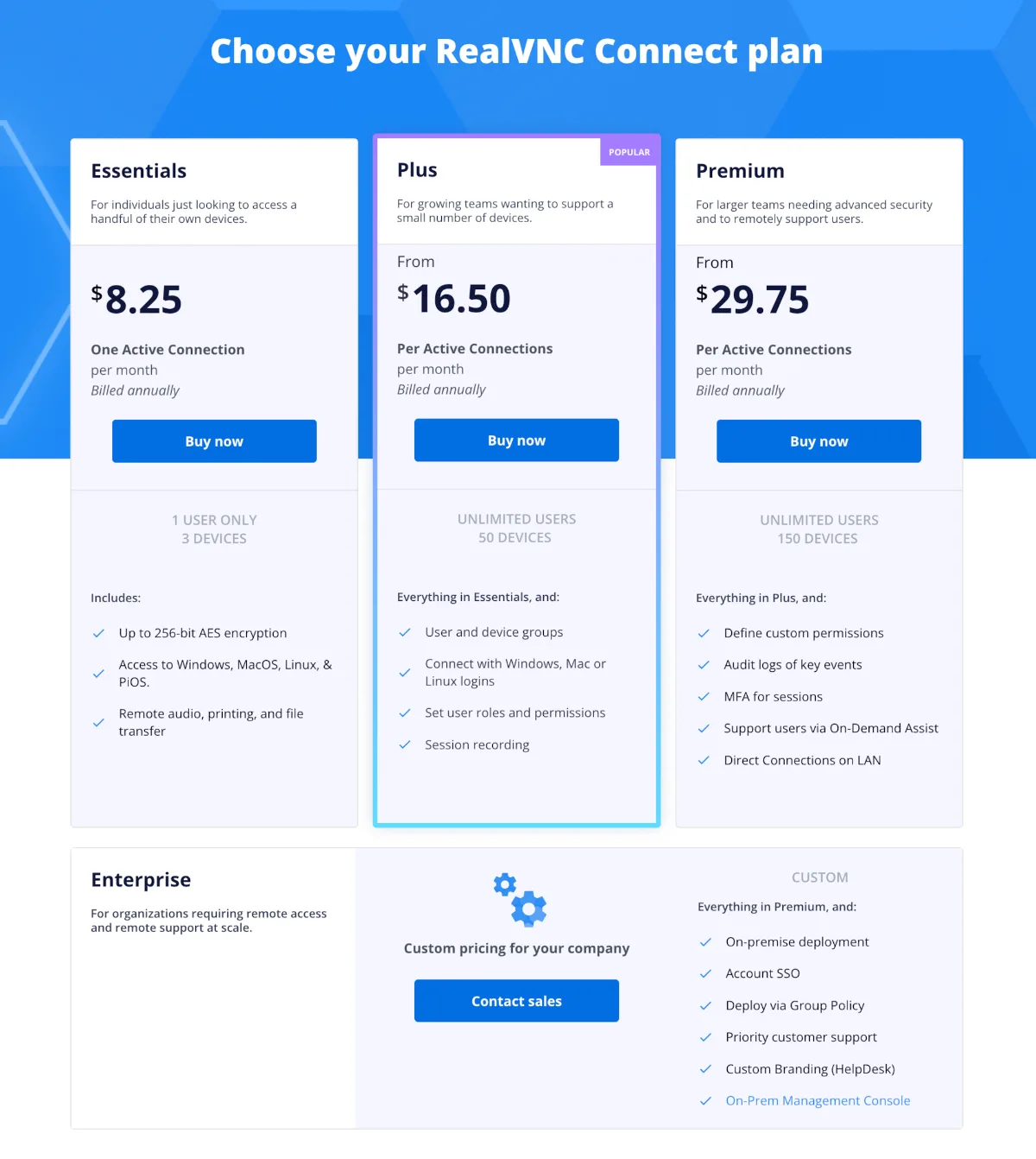
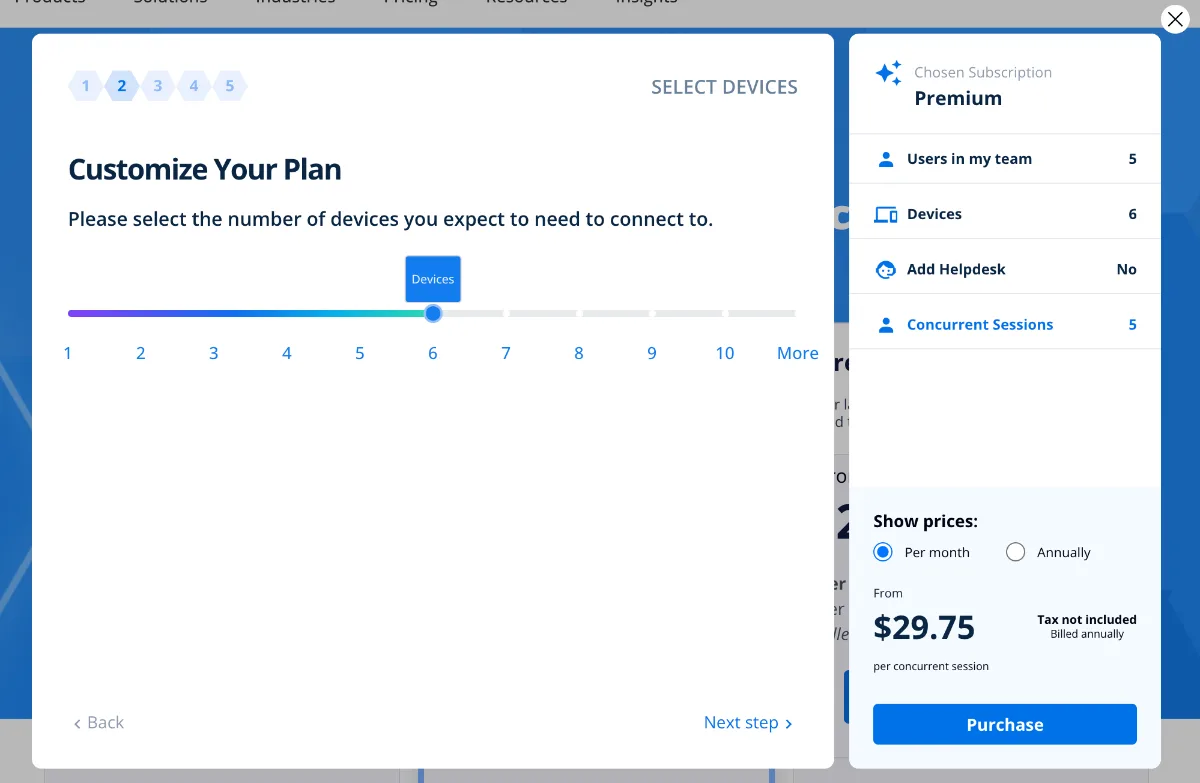
RealVNC Connect’s plans range from Essentials, which is ideal for a single individual connecting to their own devices, to a fully custom-quoted Enterprise plan. If you’re unsure which plan will work best for your organization, you can try our calculator to determine the best option.
Take RealVNC Connect for a test drive
If you’d like to learn more about what cutting-edge remote access software could do for your business, reach out to one of our experts today. You can also see it in action yourself with our 14-day free trial.