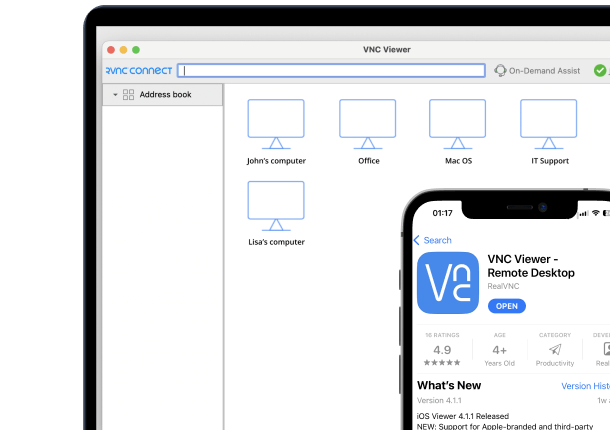



Programmable logic controllers are highly reliable, but system errors still occur, which can cause unnecessary expense and inconvenience. PLC remote monitoring is the solution that minimizes the impact of such issues. It allows engineers, technicians, and machine manufacturers to securely monitor a PLC from anywhere in the world. Instead of traveling to a factory floor to diagnose problems or make adjustments, engineers can monitor machine performance, troubleshoot faults, update programs, and support production operations from a remote location.
What Is PLC Remote Monitoring?
Before looking at PLC remote monitoring, it is important to understand the role of a PLC in industrial automation. In simple terms, a PLC is an industrial computer that reads inputs, executes control logic, and drives outputs for a machine or process. Because these computers control critical machine operations, it is necessary to monitor their performance or troubleshoot problems. This is where PLC remote monitoring comes into play.
PLC remote monitoring is the ability to view controller data, equipment status, alarms, and diagnostics without traveling to the industrial site. Plant engineers, OEM support teams, and OT administrators use monitoring to investigate faults, observe production conditions, and support distributed sites. It helps provide visibility into the PLC’s run state, fault codes, temperature or pressure readings, cycle counts, and communications health.
Secure monitoring systems prevent exposure by placing a managed intermediary layer, such as an industrial gateway, edge computer, SCADA server, or secure remote-access endpoint between the PLC network and remote users. This is in line with CISA’s recommendation to “eliminate all direct connections to critical operational assets” because direct connections to PLC systems pose significant access risk.
How Does PLC Remote Monitoring Work?
PLC remote monitoring works by decoupling the industrial controller from the external network, ensuring that remote users never connect directly to the PLC. Instead, a dedicated local edge system polls data from the controller within the plant network, while secure remote software visualizes the information and coordinates access-approved actions.
| Component | Primary Role | Location | Example Technologies | Operational Considerations |
|---|---|---|---|---|
| PLC | Controls equipment | Plant | Siemens, Schneider Electric | Control remains on the local window. |
| OT Network | Connects Devices | Plant | EtherNet/IP, OPC UA, Modbus TCP, PROFINET. | Segmentation is compulsory. |
| Edge/Gateway | Collects data | Plant | AWS IoT Greengrass, Azure IoT Edge, Ignition Edge, Node-RED. | Requires a stable connection. |
| Cloud platform | Visualizes data | Cloud | Grafana, Aveva Connect, ThingWorx, custom web dashboards. | Requires secure access. |
| Remote endpoints | Views data | Remote | Browser/app | Authorized users only. |
EtherNet/IP, OPC UA, and Modbus TCP are common OT communication methods, rather than universal integration requirements. This means that industrial teams are not forced to standardize on a single protocol to achieve remote visibility.
A permanently available industrial edge computer is generally more suitable than a laptop for long-term deployment, as it provides a stable and manageable connection point. Also, the sampling frequency should match the use case: a one-second read goes with a status dashboard, while deterministic safety and control tasks must remain local.
How Does the PLC Data Layer Work?
The PLC data layer for remote monitoring starts when the gateway or edge application reads the selected PLC tags and normalizes them into useful information for dashboards, alerts, and maintenance workflows. The PLC tags can either be controller tags or program tags with program tags including a program name such as “MainProgram”.
Controller tags have a global scope across the entire PLC system, whereas program tags have a local scope restricted to a specific program and require a path prefix when accessed externally. For example, the BOOL tag, MainProgram.Flow_Switch shows when a flow switch is active, allowing the monitoring platform to display machine status, trigger an alert, or support maintenance decisions.
How Does the Remote Access Layer Work?
The remote access layer provides authenticated, encrypted, and auditable connectivity between approved users and approved endpoints, instead of broad access to the industrial network. Remote users can review telemetry in a dashboard or open an approved, supervised session to an engineering workstation or HMI when deeper troubleshooting is needed.
In this area, persistent connections and keep-alive intervals should be tested because they can affect reliability, bandwidth usage, and the load of connected devices. Remote command paths also require separate authorization, approval, and operational safeguards from passive monitoring. Access should follow least-privilege principles, limiting each user to only the systems and resources required for the specific support task.
How Does PLC Monitoring Compare With Remote Control?
Monitoring observes and reports machine or process conditions, while remote control changes a process or machine state and therefore introduces a different level of operational risk. These processes are useful when safeguards match the activity, user role, and potential consequences.
| Activity | Typical User | Risk Level | Required Safeguard |
|---|---|---|---|
| Read-only Telemetry | Operator | Low | Authentication |
| Alarm Review | Engineer | Low | Access controls |
| Remote Diagnostics | Support Team | Medium | Audit logging |
| Engineering Access | Controls Engineer | High | Approval and supervision |
| Remote Commands | Authorized Operator | High | Documented authority and safeguards. |
Read-only monitoring supports maintenance decisions without changing a machine’s operating state, while remote control often includes setpoint changes, start or stop requests, and output commands, requiring documented authority, safeguards, and local process awareness.
It is important to note that in remote control, a technically successful write response does not prove that a process change was safe, intended, or completed as expected. Therefore, verifying physical execution through separate, closed-loop feedback or independent sensory confirmation is vital to ensure that the machine safely achieved its intended physical state.
What Are the Core Differences?
Read-only telemetry, remote diagnostics, engineering access, and remote command execution are distinct activities with different permissions and risks. While a single remote-access architecture can host all four of these activities, they must not be governed by a single blanket permission.
- Read-Only Telemetry: This activity involves the continuous, passive collection and display of system data, such as sensor readings, production counts, and system alarms. It reports status, trends, alarms, and equipment conditions without altering controller behavior.
- Remote Diagnostics: This is simply the investigation of faults, communications, controller status, or Human-Machine Interface (HMI) context before deciding whether intervention is needed.
- Engineering Access: This activity has direct connectivity into the PLC programming environment to modify logic, download new code, or alter firmware settings.
- Remote Command Execution: This involves actively triggering process actions from a distance, such as changing a temperature setpoint, opening a valve, or sending a start/stop request. It is important that remote commands are assessed in terms of process safety and expected operational outcomes, not only technical delivery status.
Where Do Monitoring and Control Overlap?
In a mature operational framework, monitoring acts as the analytical foundation, while control acts as the final distinct, heavily guarded execution step. They operate at opposite ends of the risk spectrum, but SCADA and HMI interfaces overlap in visibility and control. Yet, permissions should clearly separate viewers from users who can issue commands. For example, a pipeline monitoring system might flag a low-discharge pressure alarm on a critical water pump. A remote technician reviews flow status and alarms, consults site personnel, and proceeds only if a corrective action is approved.
What Does Remote PLC Monitoring Look Like?
Remote PLC monitoring combines relevant technical data with a controlled escalation path to the appropriate people.
- Scenario 1: OEM Support for Customer Equipment: Sealed Air, one of the leading food packaging solutions companies, and a long-time partner of Transition Technologies PSC with more than 60 years of experience and worldwide operations, adopted personalized software for reading and overriding production machine parameters. As a result, once the machines are manufactured and delivered to customers, Sealed Air can monitor their performance via remote access.
- Scenario 2: Time-Bound Managed Service Specialist Support: With RealVNC Connect, specialists can set up time-bound remote sessions to an approved engineering workstation or HMI to support troubleshooting, with cross-platform access and audit logging for accountability. As seen in the gas-turbine OEM case study where support for more than 200 power plants was achieved, more than $1.2 million in annual site-visit costs was avoided, and response times were reduced from days to minutes.
- Scenario 3: Plant-Level Fault: During a fluid-handling anomaly on a manufacturing line, the facility’s control engineer logs into the local plant network to view live execution logic, checking the state of the flow-switch input tag alongside the current Human-Machine Interface (HMI) alarm registers. This allows the engineer to determine whether the likely issue is a sensor, PLC program, or mechanical process problem.
Where Is Remote PLC Monitoring Used?
Manufacturing operations, utilities, and distributed equipment fleets are common applications for remote PLC monitoring. In truth, remote PLC monitoring is not a one-size-fits-all deployment, but the same technical pattern must be adapted to process safety, site connectivity, regulatory obligations, asset criticality, and equipment standardization regardless of where it is used.
How Do Manufacturers Use PLC Monitoring?
Manufacturers use PLC monitoring to increase operational performance since machine states, alarms, warnings, downtime, and recurring production connectivity issues can inform maintenance and factory decisions. Some selected PLC signals can even help teams identify stoppage patterns, diagnose recurring faults, and prioritize maintenance work. As a reported example, PUSR says a cellular-gateway deployment connected more than 3,000 textile looms, with OEE increasing from 72% to 89% and operations and maintenance costs decreasing by 35%. Our overview of secure remote access in manufacturing explains how to govern these connections across a plant.
How Do Utilities and Infrastructure Teams Use It?
Utilities and infrastructure teams can use remote PLC telemetry across geographically distributed pumping stations, substations, water assets, and transport infrastructure. It can improve operational prioritization, but remote access in these environments requires security controls and sector-specific governance. This is vital, since some locations have their own specifications. For instance, the applicable North American electric utilities have sector-specific obligations, including NERC CIP requirements for infrastructure teams.
What Is Changing in PLC Monitoring?
PLC monitoring is increasingly connecting telemetry to edge and cloud platforms, while control decisions, safety functions, and resilience requirements remain local. Some of the evolving areas include:
- Edge Computing: This retains local protocol access and can continue essential data storage and processing when cloud connectivity is interrupted.
- Interoperable Data Models: OPC UA and MQTT-based architectures allow selected machine data to be easily contextualized and consumed by Enterprise Resource Planning (ERP) or Manufacturing Execution Systems (MES). Legacy PLC protocols, on the other hand, require physical or virtual gateways to translate old serial or proprietary data into modern, cloud-friendly formats.
- Tighter OT remote-access governance: Industry 4.0 programs should define ownership for data quality, alarm escalation, asset inventories, and remote-session approval before scaling across sites.
We must point out that cloud-managed monitoring does not mean cloud systems should perform deterministic control or replace local PLC safety logic. Also, when engineers need full device context rather than telemetry alone, supervised remote support utilizing tools like RealVNC Connect serves as a critical complementary option. This ensures that engineering sessions are fully monitored, authorized, and isolated from the core control layer.
What Security Risks Affect Remote PLC Monitoring?
Remote PLC monitoring can become an OT entry point when systems are exposed, privileges are excessive, authentication is weak, vendor access is unlogged, or legacy endpoints remain unsecured. Security therefore requires layered operational controls:
- Do not expose PLCs, HMIs, engineering workstations, or industrial gateways directly to the public internet. Censys reported more than 145,000 exposed ICS services globally in 2024, including more than 48,000 in the United States.
- Require MFA, named accounts, and role-based permissions for remote OT access. SANS Institute reported that 75% of surveyed respondents had implemented MFA for remote industrial-site access in 2024.
- Use network segmentation so remote access terminates in a controlled zone rather than enabling unrestricted movement into PLC networks.
- Set time limits for contractor access, require documented approvals, and remove access promptly when work ends.
- In line with IEC 62443-aligned remote-access guidance, maintain audit logs that record who connected, when, to which system, and which security parameters applied.
How Do You Implement PLC Remote Monitoring?
Implementation starts with a clear operational need that validates read-only monitoring before any expanded access.
1. Define the Monitoring Outcome
Identify the alarms, selected tags, machine states, diagnostics, and dashboard views the team needs. Determine whether any remote action is genuinely necessary.
2. Inventory PLCs and Dependencies
Record each PLC’s brand, model, firmware, network connection location, protocol, HMI or engineering workstation dependencies, data owner, and process-safety constraints.
3. Select the Connection Pattern
Compare an on-site edge device, industrial gateway, site VPN connection, cellular gateway, or secure remote-session approach against available bandwidth, support needs, and network-segmentation rules.
4. Validate Read-only Data First
Pilot selected tags and dashboard views in a test environment or limited production scope. Confirm data types, update intervals, alarm behavior, and loss-of-connection handling.
5. Enforce Controlled Remote Access
Require MFA, named user accounts, role-based permissions, encryption, approval workflows, and audit records. Where remote device support is needed, use a controlled cross-platform session approach rather than positioning remote-access software as a PLC data platform.
6. Test and Review the Operating Procedure
Test failed connectivity, inaccurate data, unauthorized-access attempts, and handoff to local personnel. Review logs and permissions as equipment, contractors, and plant roles change.
Conclusion
PLC remote monitoring allows users to gain timely visibility into PLC-connected equipment without relying on costly site visits or exposing operational technology to unnecessary risk. Successful PLC remote monitoring depends on choosing the right connectivity model, validating protocol and PLC compatibility, and separating read-only monitoring from tightly governed remote control systems. To enable remote monitoring, always start with a limited asset group, document security and access requirements, and scale only after the workflow is proven.
Frequently Asked Questions
What is PLC remote monitoring?
PLC remote monitoring is the collection, visualization, and analysis of PLC data from an off-site location. It is different from remote programming, which changes a process or machine state, and requires additional safeguards.
How can I monitor a PLC remotely?
You can monitor a PLC remotely by decoupling the industrial controller from the external network using a secure VPN, industrial cellular router, edge gateway, or cloud-connected platform. The best option depends on site connectivity, required data frequency, protocols, and whether remote support is needed.
Is it safe to connect a PLC to the internet?
You should not expose a PLC, HMI, or gateway directly to the public internet. This is in line with CISA’s recommendation to eliminate direct connections to critical operational assets and outline segmented networks, MFA, encrypted connections, and least-privilege access.
What PLC protocols are used for remote monitoring?
Common industrial communication protocols used for remote monitoring include Modbus TCP, OPC UA, EtherNet/IP, and PROFINET. The model you choose depends on the system size and connectivity needs.
Do I need a gateway for PLC remote monitoring?
A gateway is often useful for securely collecting data, translating protocols, buffering data during outages, and creating an outbound connection to a platform. You may use software-only options in some networked environments, but a purpose-built industrial gateway can simplify deployment at distributed or cellular-connected sites.