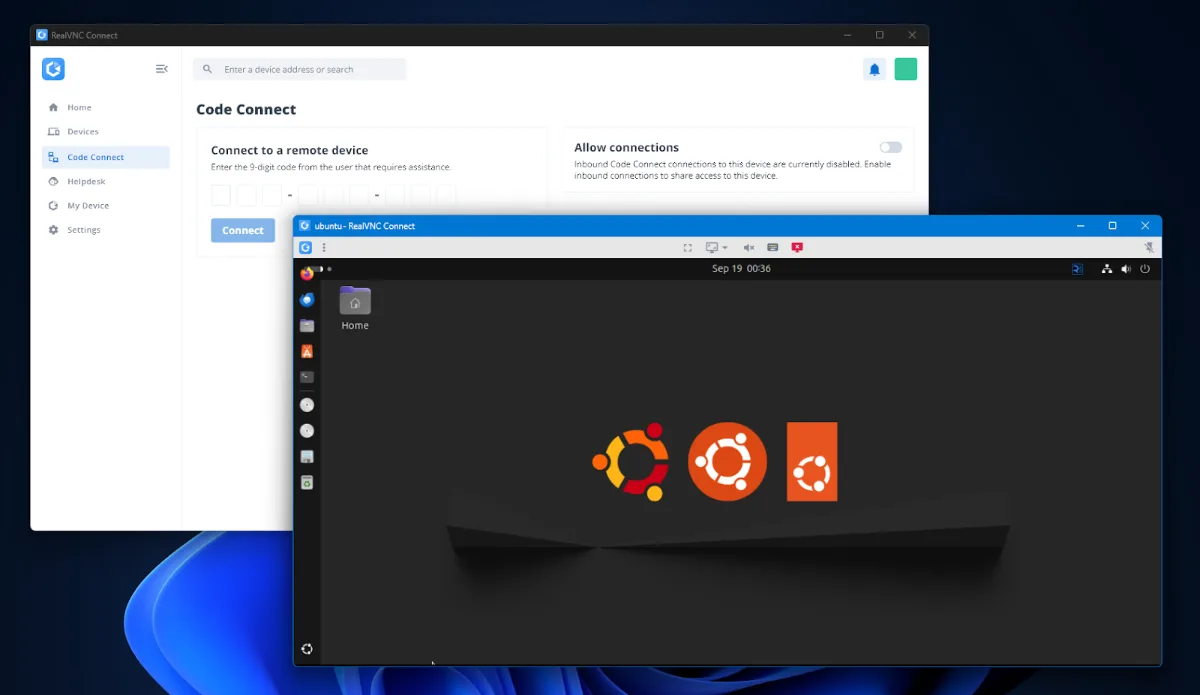
Image: Created by Author
If you manage Linux machines, you’ve probably found that Linux and RDP just don’t mix. After some xRDP trial and error, most administrators turn to VNC, especially on older machines that don’t have gRDP.
Buyers then compare software on four fronts, which are: security, performance, manageability, and cross-platform coverage. Needs vary across businesses with a mixed environment, but the goals are still the same. Keep sessions stable and allow admins to do their job.
RealVNC Connect is the reference point for an enterprise-grade server choice and a proven remote access solution. This article will evaluate VNC options for Linux through the lens of this benchmark, and highlight where centralized policy, audit, and security matter most. Teams looking for credible support and predictable operations will have everything they need to decide on the best option for Linux.
Key Evaluation Criteria for a Linux Virtual Network Computing (VNC) Server
Teams should be looking at the criteria that reflect the reality of their operations. Security should come first, and controlled access should stay secure from day one. RealVNC Connect enables TLS encryption by default and supports multifactor authentication, SSO, and completely auditable sessions.
Assess performance under real-world conditions. Expect high-speed streaming, adaptive quality, and stable behavior over both LAN and WAN networks.
Plan for big-fleet management and scaling. Teams want fast rollout, configuration that doesn’t take any manual editing, and predictable default ports. Your solution should also support automated deployment with automation tools like Ansible, Chef, and Salt. Linux OS and package deployment platforms such as Red Hat Satellite, SUSE Manager, and Canonical Landscape should be able to package and roll out installs and updates seamlessly.
Additionally, consider your non-Linux coverage. Organizations usually mix Linux and Windows, plus macOS and mobile. A consistent VNC viewer and VNC client experience also reduces training time and makes the session experience as native as possible.
Finally, enterprise buyers should confirm SLA-backed support for long-term maintenance and assistance—something that open-source platforms unfortunately tend to lack. Running Windows hosts too? Compare the best VNC servers for Windows. On Wayland desktops, you may also want to compare these WayVNC alternatives.
Why RealVNC Connect is the Reference VNC Server for Linux
RealVNC Connect sets the bar for a Linux VNC server that’s focused on security and control. All sessions are protected out of the box by end-to-end AES with identity verification and perfect forward secrecy. Account-level MFA and SSO also strengthen authentication and are compatible with RADIUS and interactive system verification, or LDAP and Active Directory if you’re also running a Windows house.
Audit trails document activity for compliance teams and make evidence collection simple. The result is a VNC you can defend in a highly-regulated environment.
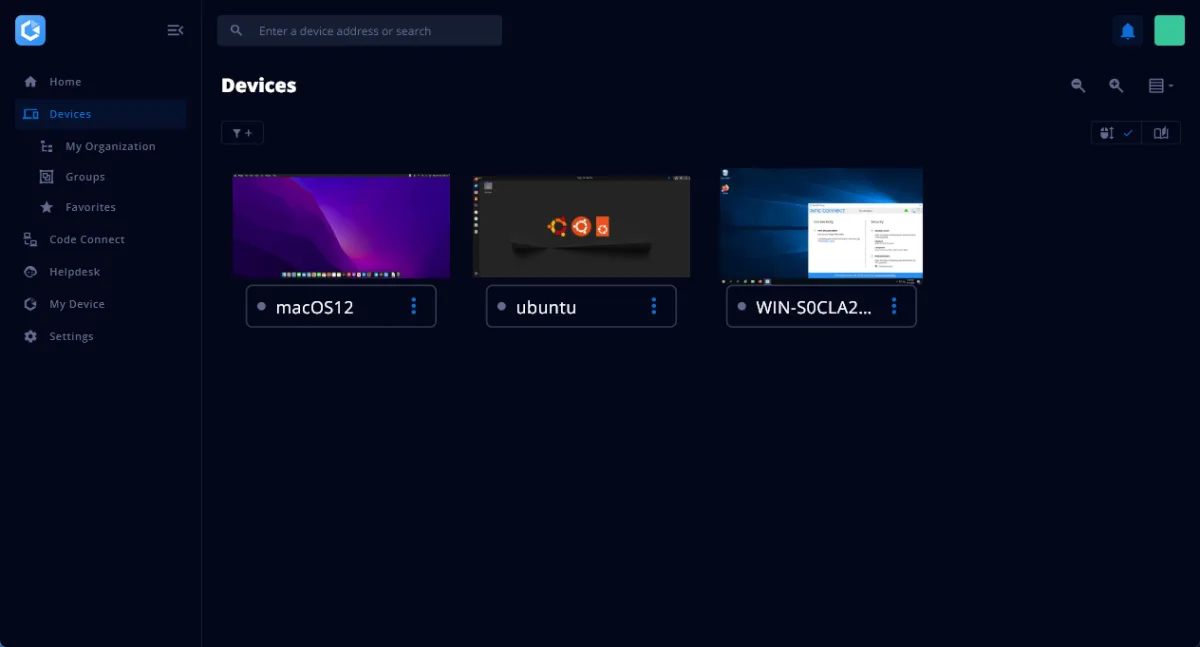
Image: Created by Author
RealVNC Connect features an on-premise Management Console that centralizes the onboarding of assets and lets admins enforce local policy from one place. Admins can view users, devices, license status, and session history from a browser. Policy enforcement and update orchestration reduce drift, and licensing and entitlement checks stay visible at all times.
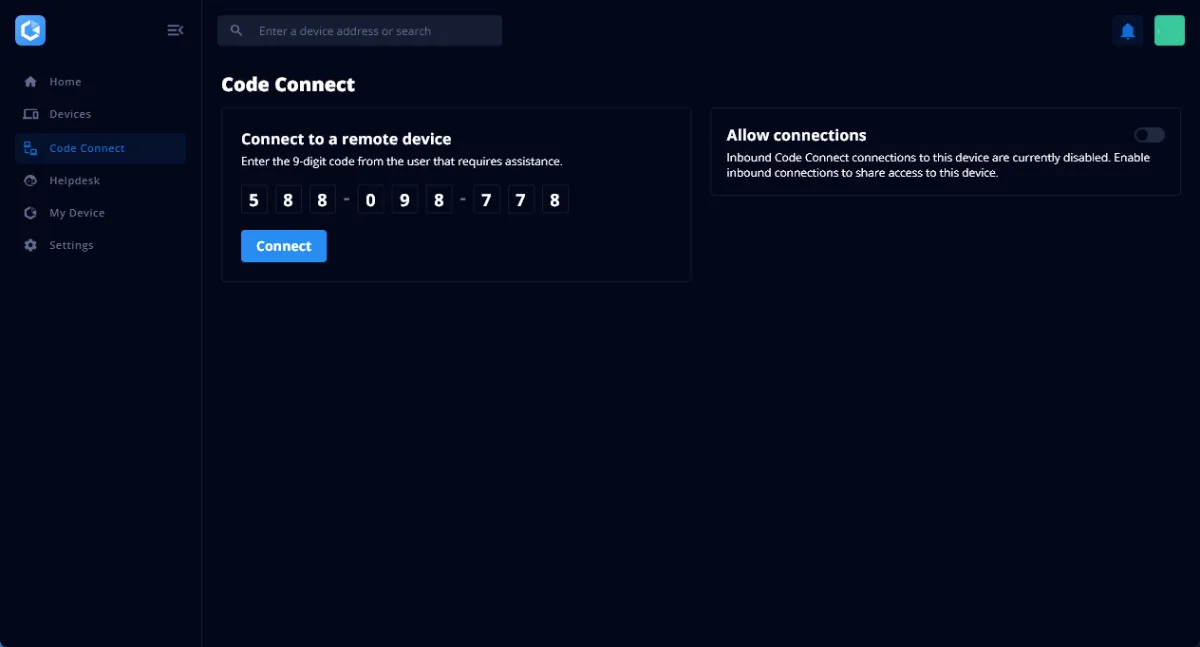
Image: Created by Author
The Code Connect provides guest access without having to expose your device’s IP address. The Cloud VNC connection broker selects the best path for connection and works behind proxies, firewalls, and CGNAT. No inbound port forwarding required. No public VPS exposure. Invite codes expire as needed, which limits risk.
Deployment on Linux follows a clear path. Download the installer, install the software under a privileged account, and complete the installation steps. No messing around with config files, and no endless compatibility checking. For Ubuntu, Wayland guidance is well-documented and practical.
Organizations running Windows, macOS, and mobile operating systems can expect the same standardized session quality regardless of what machine they’re running. As a VNC server, the RealVNC server component handles host-side operations while keeping policy, authentication, and updates aligned with enterprise standards.
Linux VNC Remote Desktop Options at a Glance
Teams and organizations managing multiple computers and servers with mixed operating systems need practical choices for Linux remote desktop. The options below cover the most common enterprise needs, labs, and support for old legacy machines.
1. RealVNC Connect
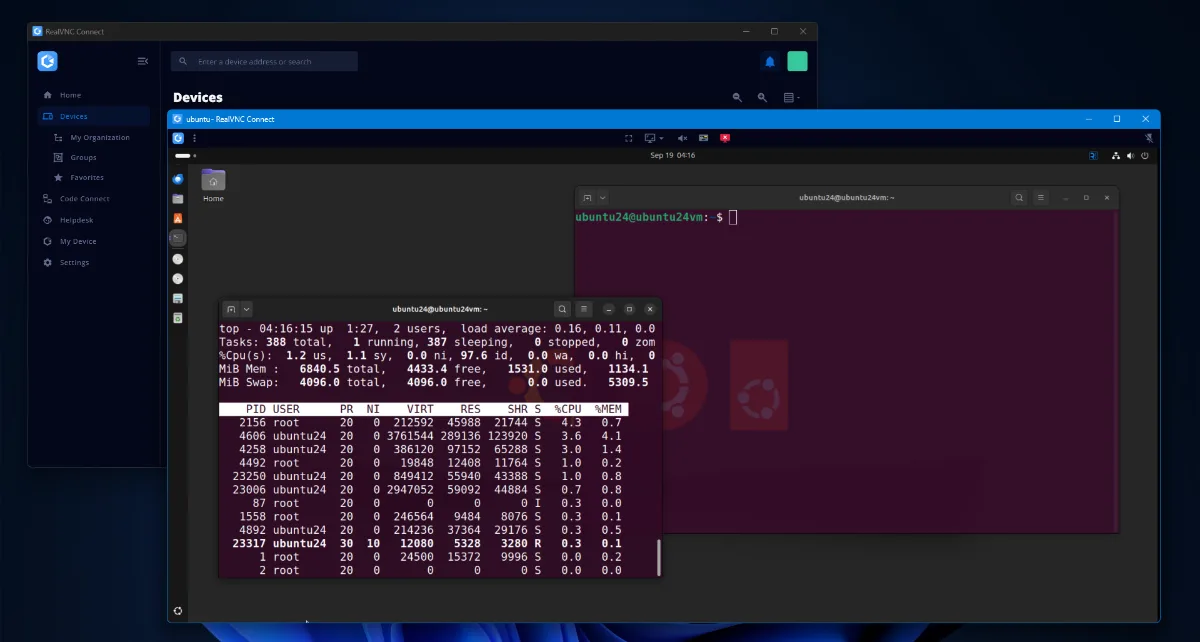
Image: Created by Author
Being the only real enterprise VNC option, RealVNC Connect provides organizations with solid security, encryption, MFA, SSO, and a completely centralized policy.
The management console is unique to RealVNC and supports offline control and audit export. The RealVNC viewer provides a consistent experience across all supported operating systems, including Windows, Linux, macOS, and Android and iOS.
Expect a strong performance, a structured and predictable installation process, transparent licensing, and a reliable release and version cadence.
2. TigerVNC
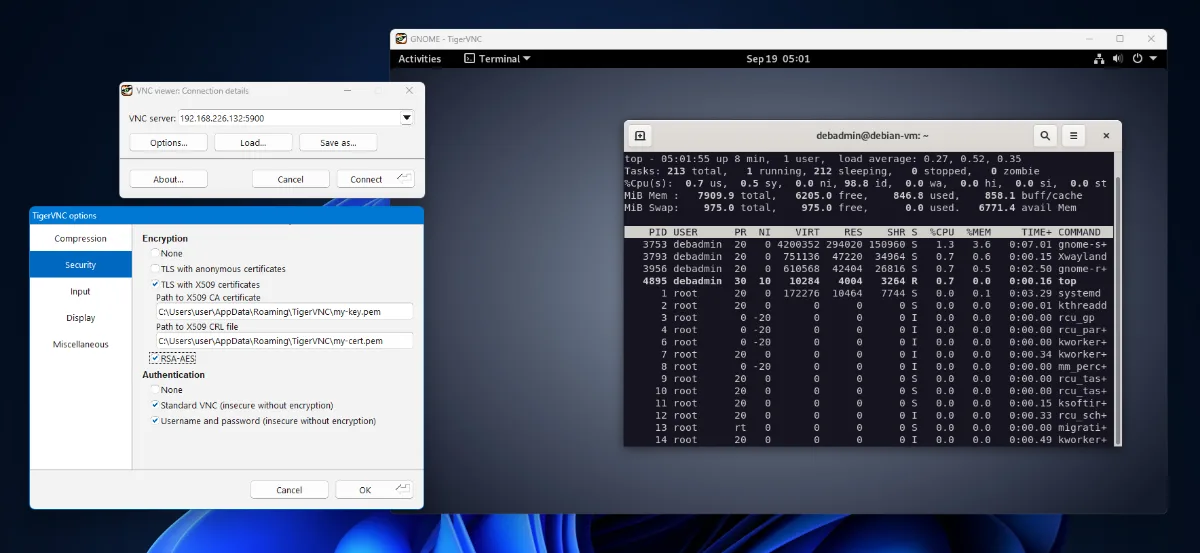
Image: Created by Author
A high-performance, platform-neutral open-source VNC implementation that’s still packaged on many distros, including Debian/Ubuntu, RHEL, and SUSE/SLES. It provides a good baseline for labs and developer hosts with relatively stable behavior and flexible configuration.
TigerVNC does offer optional encryption, but it is better suited for environments that don’t require strict data and privacy compliance and governance.
3. TightVNC
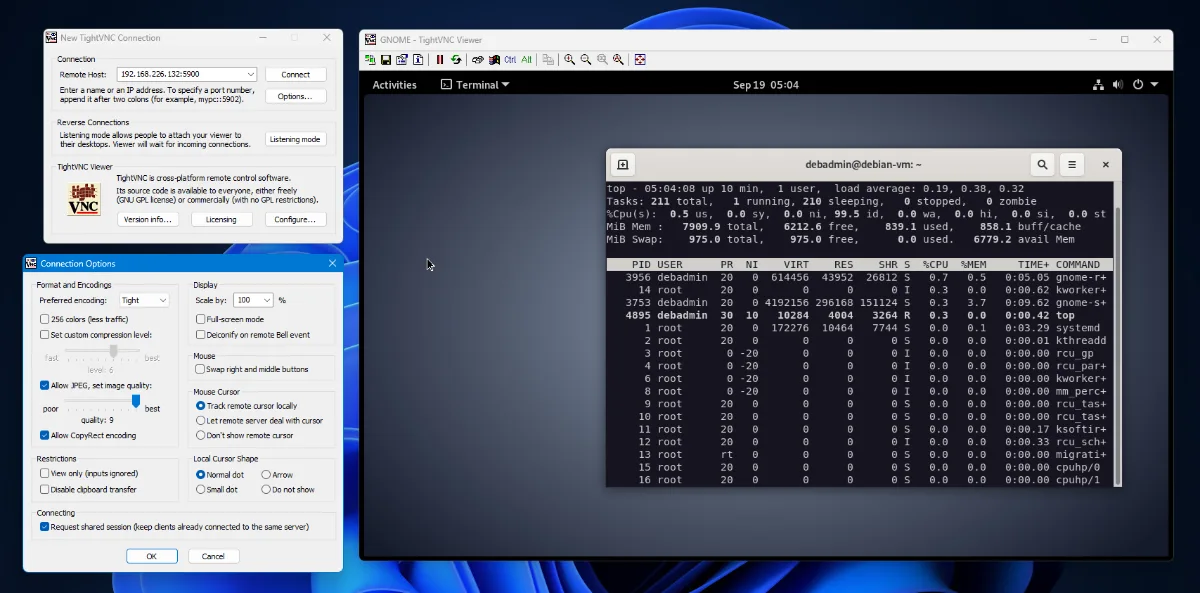
Image: Created by Author
A mature and free option for lightweight remote desktop on smaller LANs over the VNC protocol. Its tight encoding keeps it efficient even on low-bandwidth connections. It’s popular in environments that have a lot of legacy Linux machines, and all client/server versions are backwards compatible, even with older X11vncserver implementations.
TightVNC does not offer any encryption. If it’s used in a corporate setting, the VNC session must be contained within an SSH tunnel to be considered secure. It’s ideal for testing, managing wall-mounted display PCs, or any environment that doesn’t demand a high degree of security.
Notable Alternatives
- X11vnc can be used to mirror active X sessions for hands-on help for legacy machines and terminal.
- Vino is GNOME’s built-in VNC server, configured from the desktop’s settings menu, though newer GNOME releases have moved toward gRDP (and kRFB on KDE).
- NoVNC used with websockify can allow a VNC-like session with a CLI interface or GUI and is commonly used for KVM console access and setup for virtual machines.
- TurboVNC is a VNC variant tuned for 3D and video-heavy workloads that need high frame rates, popular for remote visualization and CAD.
- xrdp lets a Linux host accept Microsoft Remote Desktop (RDP) connections, which helps in shops that standardize on Windows clients.
VNC Remote Server Selection Guide
When choosing a VNC platform, use the following checklist to make sure that you’re settling on an enterprise-ready solution. Keep the focus on production needs, not lab demos.
- Security and compliance evidence that can be audited and documented.
- Centralized management, policy control, and reporting.
- Performance at scale with high-quality images and screens across a variety of network conditions.
- Cross-platform support for both the client and server.
- SLA-backed support and clear paths for escalation.
- Access to unattended sites via a management console.
- Favor convenience over factors such as open-source or licensing.
Your Next Step
The decision on which VNC server your organization rolls out for your Linux fleet should be a careful weighing of security, manageability, and performance. RealVNC Connect fits Linux fleets that need enterprise-grade VNC, centralized policy, and options for hybrid or office control.
Deployment follows structured installation steps with documented support and audit-ready logging.
Run a pilot across various representative hosts, including Windows jump boxes where required. Open-source tools make quick trials easy, and RealVNC Connect lets teams access the same benefits. Download RealVNC Connect for Linux today, or talk to one of our experts to plan your remote access strategy.
FAQ
What makes a VNC server secure for Linux environments?
VNC servers run in Linux environments should have strong encryption, MFA or SSO, role-based permissions, audited sessions, and a brokered remote access pass. Pair Virtual Network Computing with least-privileged access accounts and an enterprise-ready solution such as RealVNC Connect.
How does RealVNC Connect differ from legacy VNC solutions?
RealVNC Connect goes beyond just the remote control aspect of VNC and provides enterprise-grade security, connection brokering, a centralized management console, and the ability to audit machine remote access.
Can VNC servers support multi-platform environments?
Yes, but it depends on the implementation. A VNC server can be accessed by almost any VNC client, provided the same authentication and encryption standards are used on both ends. Mature VNC stacks like RealVNC Connect cover Linux, Windows, macOS, and even iOS and Android.