Your day can start with a basic support ticket, and end with a request for a thorough audit. In between it all, you manage a sprawling, online fleet of technology with dependable remote desktop software that may include open-source solutions like TightVNC.
Solutions like TightVNC and TigerVNC earn their place on many laptops and servers because they’re a free alternative that handles basic remote control for personal use. However, once organizations start to scale, the gaps in features and security start showing up fast.
When teams start looking for TightVNC alternatives, they’re typically looking for more than just a basic screen share. Users need remote access that is brokered securely through the cloud, managed centrally, audit-ready, and working across all platforms they support. These are features most free tools simply don’t offer at scale.
In this brief, we’re going to be comparing modern options like RealVNC Connect and call out what you need to look for in a remote access solution. We’ll also show you how, sometimes, the free and open-source solution isn’t always the best one.

What is VNC and Why Look Beyond TightVNC?
As far as remote desktop solutions go, VNC (Virtual Network Computing) is about as first-generation as it gets. It was invented back in the 1990s, and allows a client to view and control a remote system by sending screen updates and keystrokes over a simple protocol. VNC was lightweight, open-source, and ended up inspiring projects like TightVNC, UltraVNC, and TigerVNC. These tools kept the idea alive and are still used for basic remote support even today.
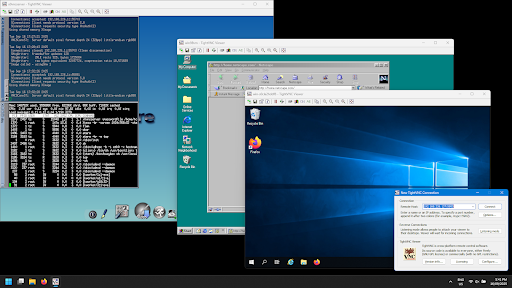
Basic Remote Control vs. Modern Remote Access
TightVNC in particular is often praised for being free, easy to run on Windows and Linux, and surprisingly good at breathing life into systems that would otherwise be a lost cause. The current Windows release (2.8.87, March 2026) officially supports XP and later, while older 1.x builds will happily connect to legacy Windows 98 or NT boxes still humming along in back offices.
Even with active development continuing into 2026 (the latest stable was released in March), the limitations of open-source tools like TightVNC get hard to miss. Passwords use weak DES-based encryption, session traffic is completely unprotected unless you tunnel through SSH, and graphics quality and scaling feel like they haven’t improved since the birth of VNC itself. Modern Linux users also find it clunky to set up on Wayland-based desktop sessions (now the default on Ubuntu, Fedora, and recent GNOME releases), and it’s completely void of any serious asset management or enterprise-grade reporting.
Modern VNC alternatives like RealVNC Connect have picked up where tools like TightVNC left off. It comes with advanced security features built in, including end-to-end AES-GCM encryption with Perfect Forward Secrecy, multi-factor authentication, and a centralized management console. In terms of pushing out the server and viewer to your company fleet, install is simple, and deployment can be performed cross-platform to Mac, Windows, Linux, and even mobile platforms, iOS and Android.
How Modern Remote Desktop Solutions Work
A VNC session starts with a client initiating a connection to a server. For platforms like TightVNC, this is where the similarities to modern remote desktop solutions end. Remote access software initiates and secures remote sessions by user authentication, followed by end-to-end encryption to secure all data in transit.
Once trust is established, the remote system streams a live screen version while transmitting keyboard and mouse input. This is the foundation of all remote control software, but businesses today need far more than the basics.
File Transfer, Chat, and Multi-Platform Support
Modern platforms add functions like file transfer, integrated chat, multi-monitor support, and multi-platform apps that support Windows, Mac, Linux, and Android and iOS. These functions let users finish tasks quickly, whether managing servers, transferring files between machines, or supporting mobile employees on the move.
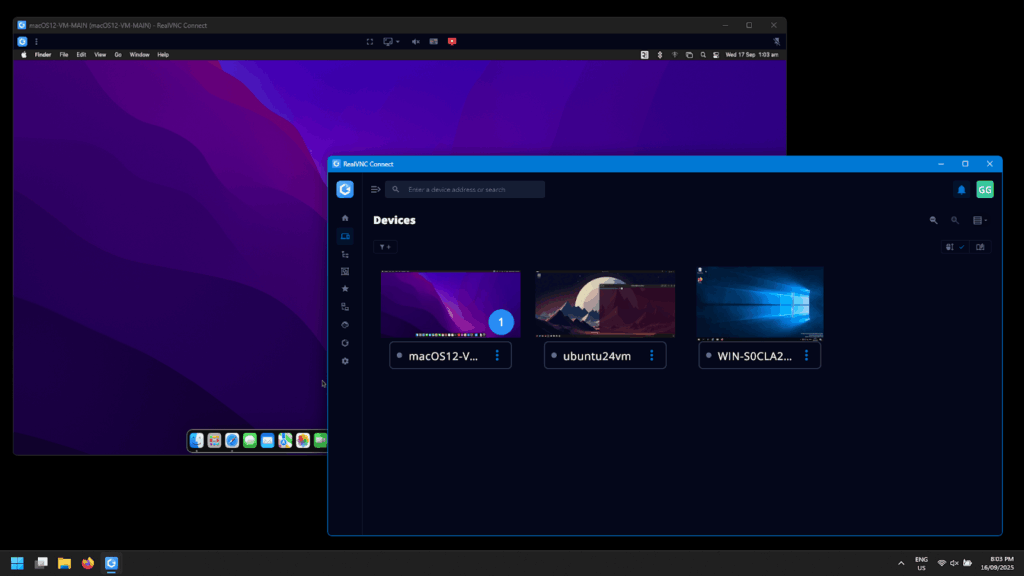
Where TightVNC relies on manual setup and workarounds, RealVNC Connect delivers a polished and enterprise-ready remote access model. Its VNC Cloud service brokers remote sessions that don’t require port forwarding, applying NAT traversal techniques so connections succeed in real environments. All sessions are protected by end-to-end AES-GCM encryption (up to 256-bit) with Perfect Forward Secrecy, while web API calls to VNC Cloud use TLS 1.2 or higher. This means not even RealVNC can eavesdrop on session content.
One of the biggest limitations of platforms like TightVNC is providing one-time guest access to internal systems. With most open-source remote access solutions, either an external IP must be provided to the third party, or access given via a VPN. Both methods open up your systems to security risks.
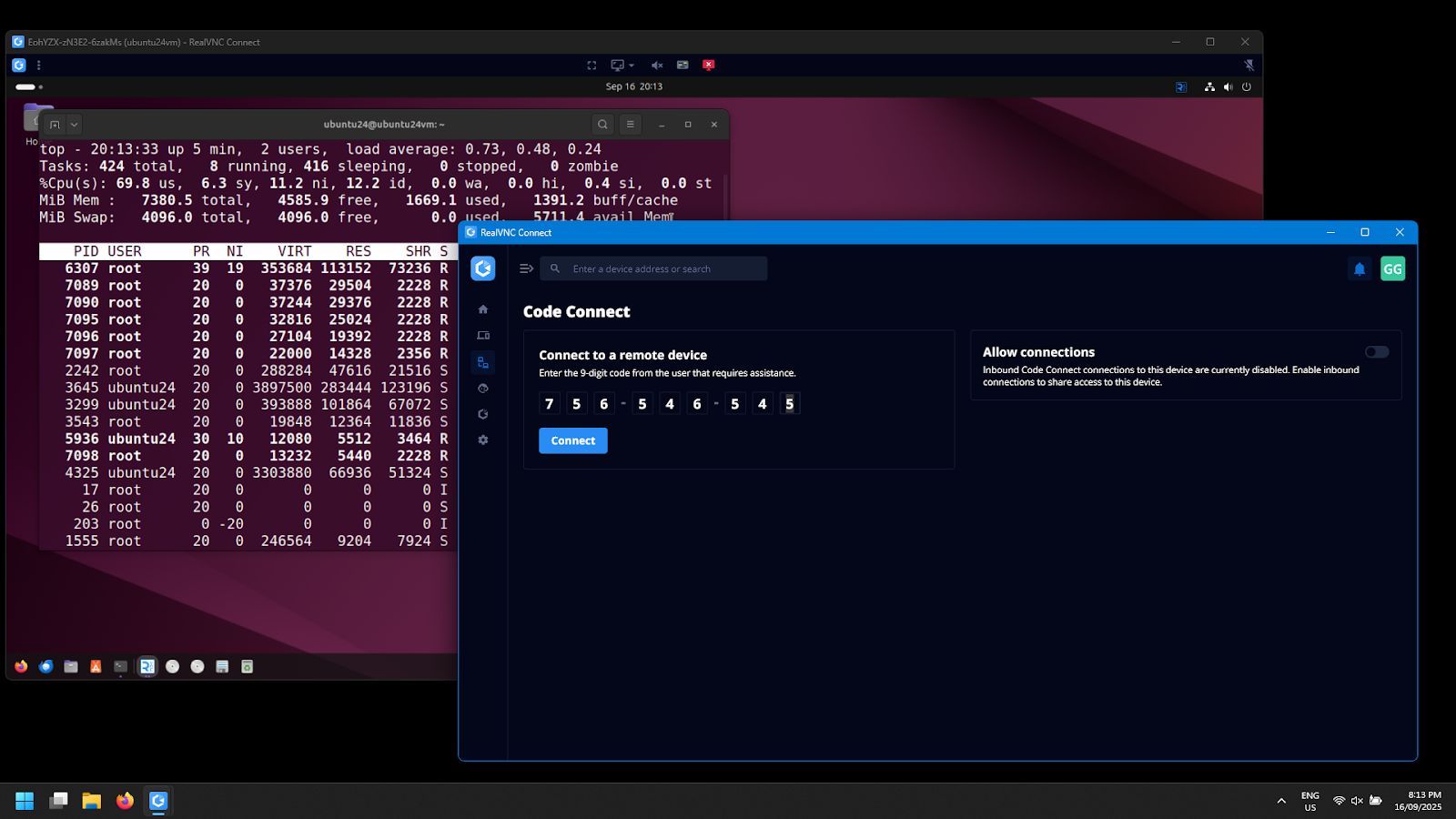
RealVNC Connect’s Code Connect feature solves this by generating a 9-digit code valid for just 120 seconds, brokered through VNC Cloud. The host explicitly approves each session before it starts, both parties must be signed in to verified RealVNC Connect accounts (creating a clear audit trail), and IP addresses are never exposed. Once the session ends, the code can’t be reused. This makes it compliant with most organizational IT security policies and removes the need for risky workarounds like temporary VPN access.
Remote Support Across Compliance-Focused Industries
Modern organizations need to keep machines and apps running across offices, homes, and field sites. RealVNC Connect delivers remote support in full compliance with organizational data and privacy protection requirements.
Admins gain precise control, clear notifications, and audit-ready activity views all under one roof. The user-friendly, intuitive interface helps new team members move fast, while seasoned professionals get the depth they expect and need. For users coming from TightVNC alternatives that lack any management layer, the difference is immediate.
Use cases in various compliance-heavy industries include:
-
Healthcare: Audit trails showing who accessed critical systems, plus tight controls for PHI and HIPAA.
-
Manufacturing: Remote setup of the systems that supply configuration and updates to production equipment, and remote access of controllers via customized OEM solutions
-
Energy: Support for distributed assets and compliance reporting at scale, plus remote multi-monitor support for control centers.
-
Education: User-friendly management of remote labs and classroom devices with the ability to push updates to apps and supervise activity.
-
MSPs: High-performance visibility for multi-tenant infrastructure, client support, and rapid incident handling.
Best Practices and Considerations for Remote Desktop Software
When sourcing the best software for remote access, organizations often review a variety of options and request a free demo before committing. Tools like GoTo Resolve, Zoho Assist, and ConnectWise Control are typically high on the list, with pricing models ranging from per-technician to per-endpoint. However, user reviews consistently note that these tools lack the enterprise-grade details and compliance strength teams need at scale. RealVNC Connect goes further with strong security, multi-factor authentication, and granular permissions that scale across a network of various systems.
Security is only half of the equation. An efficient setup also needs to deliver responsive performance in the form of high-speed streaming and uninterrupted image quality, even over high-latency connections. RealVNC Connect’s adaptive encoding keeps connections stable and outperforms the TightVNC alternatives.
RealVNC also offers clear deployment options. Endpoints run RealVNC Server and Viewer locally, while RealVNC’s cloud-brokered connectivity (VNC Cloud) handles the authentication and session brokering through its hosted service. For fully offline or air-gapped environments, run on-premise and use the On-Premise Console for centralized policy, licensing, and audit logging inside your network, with software installation handled by your existing software deployment tools like SCCM or Intune, or using GPO.
Enterprises can review the platform with a free demo or trial download before scaling, making sure the pricing model and feature set meet their security and usability goals. User reviews from MSPs, healthcare teams, and manufacturing operators consistently rank RealVNC Connect among the strongest TightVNC alternatives for compliance-driven environments.
Conclusion
Open-source tools like TightVNC are useful for small projects, testing, and legacy machines. However, most businesses quickly hit the functionality limits of this software. Enterprise teams need secure, auditable remote connections and flexible configuration options that scale across their systems.
RealVNC Connect delivers this and more. Deploy RealVNC Server and Viewer with your existing trusted tools, then choose cloud-brokered connectivity via VNC Cloud or run fully on-premise with the On-Premise Management Console for centralized policy and audit logging. For organizations reviewing TightVNC alternatives, RealVNC Connect is the standard for secure, scalable remote access.
Talk to our experts or download the RealVNC Connect application today to get started.
FAQ
What makes RealVNC Connect different from legacy VNC solutions?
Unlike legacy VNC solutions that have weak security and cross-platform support, RealVNC Connect offers built-in encryption, a centralized management console, and audit logs for enterprises.
How does Code Connect enhance guest access security?
Legacy and open-source VNC software require businesses to expose IP addresses or allow internal network access for vendors and third-party support to remotely access computers. Code Connect by RealVNC issues a temporary token to join a remote session and uses a cloud data broker to facilitate the connection.
What are the best practices for deploying VNC in regulated industries?
Enable multi-factor authentication, restrict roles, and maintain audit logs. Platforms like RealVNC Connect provide these controls by default, which makes compliance simpler to review.