

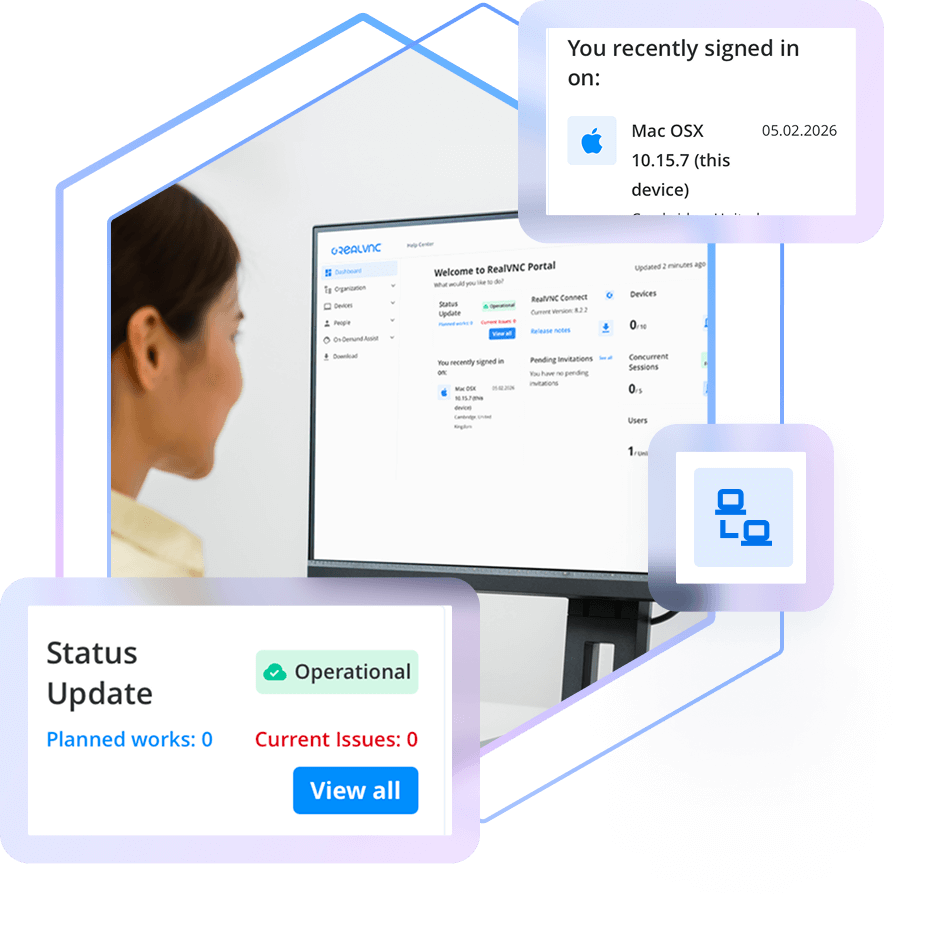

Your Central Online Portal for Remote Access Management
Everything You Need to Manage Users, Devices, permissions, and Security
— All in One Place
Realvnc connect portal
Take Control of Your Remote Access Environment
Easily manage users, devices, permissions, and security—all from one intuitive interface. Whether you’re scaling your team or refining access controls, the RealVNC Portal puts you in command.
The RealVNC Portal gives you full control over your remote access environment. From building organisational hierarchies and assigning granular permissions, to auditing connections and managing account security, it’s your central hub for secure, scalable remote access.
Manage Users & Devices
Robust end-to-end encryption safeguards all interactions between helpdesk technicians and end-users, ensuring your data remains confidential and protected from potential threats.
Create Access Groups
Each support session utilizes a unique single-time-use code to prevent unauthorized access.
Audit Connections & Activity
Maintain a clear record of every remote support session with detailed logging and audit capabilities. Know who is making connections and keep track of all activities for accountability and transparency.
Oversee On-Demand Assist
Each support session utilizes a unique single-time-use code to prevent unauthorized access.
Secure Your Account
Maintain a clear record of every remote support session with detailed logging and audit capabilities. Know who is making connections and keep track of all activities for accountability and transparency.
Structure, Secure, and Scale Your Remote Environment
The RealVNC Portal is designed to give organisations complete control over their remote access environment. With intuitive tools for adding and removing users and devices, assigning roles, and managing permissions, it streamlines administration while maintaining enterprise-grade security. Whether you’re onboarding new team members or restructuring access, the Portal makes it easy to stay organised and compliant.
Beyond basic management, the Portal introduces advanced features like group creation and organisational hierarchies (Coming late 2026), allowing you to mirror your company’s structure for more granular access control. This ensures the right people have access to the right devices—no more, no less. Combined with deep auditing capabilities, connection tracking, and built-in security settings like multi-factor authentication, the RealVNC Portal is a powerful foundation for scalable, secure remote access.
Effortlessly deploy RealVNC Connect across your organisation using your existing MDM tools.
The RealVNC Portal is designed for enterprise customers who need a streamlined way to deploy and manage RealVNC Connect applications across large teams and multiple devices. With centralised user and device management, permission controls, and group-based access structures, IT teams can quickly onboard users, assign roles, and maintain security at scale. The Portal simplifies deployment, supports organisational hierarchies, and provides deep auditing tools—making it the ideal solution for enterprises seeking control, visibility, and flexibility.
Easy linking with RealVNC On-Premise Management Console for Offline Licensing and
For organisations operating in secure or offline environments, RealVNC’s On-Premise Management Console (OPMC) offers full control over your RealVNC Connect deployment. With OPMC, you can manage users and devices locally, monitor license usage, and audit activity—all without relying on cloud infrastructure. It’s a powerful solution for enterprises that require strict data sovereignty, internal network control, and secure remote access within closed systems.
Want to learn more about RealVNC Connect for on-premise?
Whether you’re exploring solutions for remote sites, secure environments, or simply want to ensure uninterrupted access when connectivity is limited, we’re on hand to help discuss your options.
Security - Protecting Your Data
At RealVNC, we prioritize the security of your data and communication. Our comprehensive security features ensure that every remote support session is conducted with the highest level of protection.
End-to-End Encryption
Robust end-to-end encryption safeguards all interactions between helpdesk technicians and end-users, ensuring your data remains confidential and protected from potential threats.
Unique Session Codes
Each support session utilizes a unique single-time-use code to prevent unauthorized access.
Session Logging and Audit
Maintain a clear record of every remote support session with detailed logging and audit capabilities. Know who is making connections and keep track of all activities for accountability and transparency.
End-User Authentication
All sessions have to authenticated by the end user, who remains in control of their device throughout the whole session.
Try VNC Connect® today for free
We don’t require credit card data. 14 days of free, secure and fast access to your devices. Upgrade or cancel anytime