

Reliable remote desktop software for macOS
Access and operate all your Mac devices from your tablet, PC or phone.
Create without limits
Move fast with our lightweight solution that’s quick to download, fast to install and doesn’t cost you in valuable disk space or put a drain on power usage.
Collaborate remotely
Whether you need to offer support, access on-premise equipment, or want a way to collaborate on the next big project, VNC Connect makes it possible with a reliable, quality connection.
Connect across platforms
Do more with multi-platform support that lets you access devices running Windows, Linux and Raspberry Pi. Use our VNC Viewer app (iOS and Android) to access your desktop whilst on the go.
Fast, secure & reliable remote desktop software for macOS
Free from frustration
Feel as though you’re there at your devices with a responsive connection and exceptional image quality.
Tailored user permissions
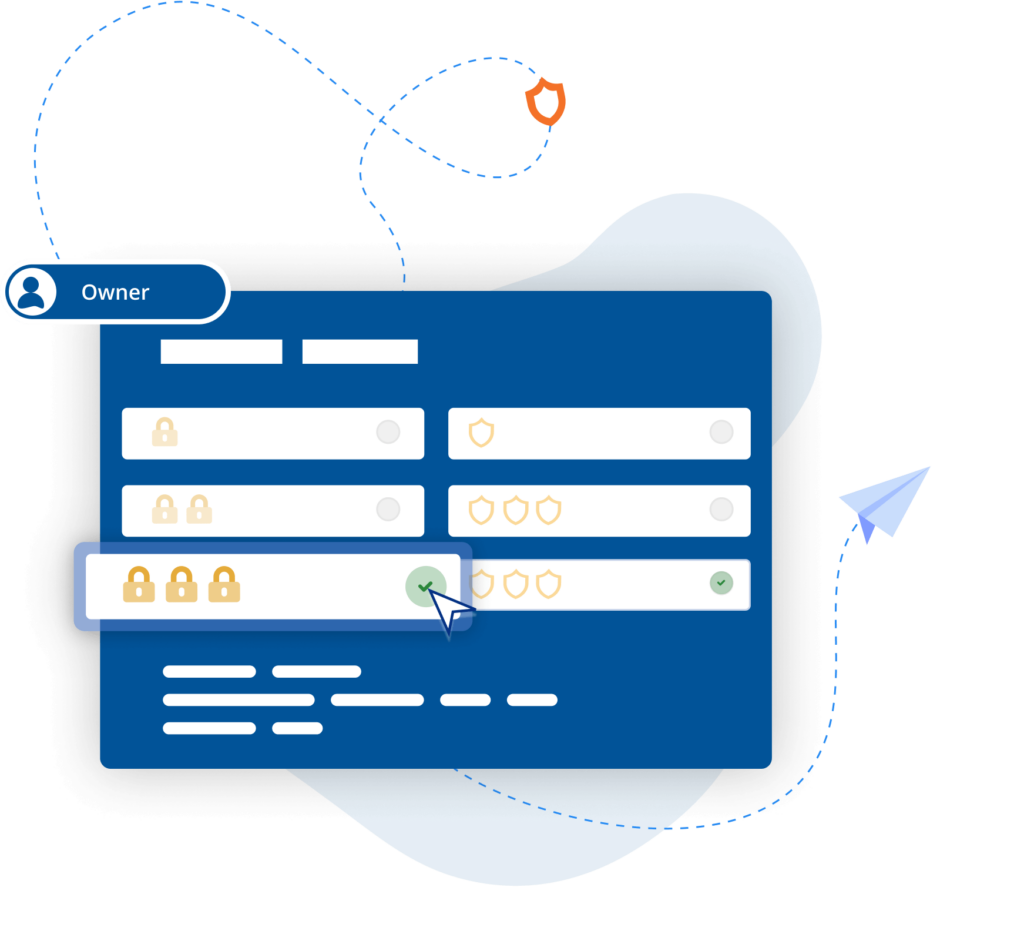
Ensure the right people have the right level of access with an easy-to-configure setup and granular permissions controls.
Centralized control
Simplify admin by managing permissions with policy templates that can then be distributed to remote devices.
Power productivity
Get more done with built-in support for two-way file transfer, remote printing, real-time chat, and screen recording.
Backwards compatibility
In addition to macOS Monterey, VNC Connect also supports older versions (up to OS X Yosemite), helping you extend the life and value of your IT estate.
Optimized performance
Auto-optimization algorithms ensure you get a reliable connection, even in low-bandwidth, high-latency environments.
“RealVNC remote access software allows us to assist editors and animators experiencing IT problems, without needing to leave our desks.”
Paul Reeves
Production Engineer
Secure by design
Offer secure remote access at scale throughout your organization with confidence. VNC Connect features enterprise-grade security that protects against external threats, while a suite of admin tools gives you complete control of access across all devices.
Security is at the core of our solution – by design, we treat every connection as though it originated in a hostile environment. To safeguard against unsolicited access, an incoming connection must always be authorized from the end-user device on the Server side. And to ensure total privacy, sessions are always end-to-end encrypted at up to 256-bit AES.
Trusted by leading IT teams worldwide
REJI
"RealVNC Connect가 다양한 운영 체제와 호환된다는 사실은 향후 성장에 중요한 요소입니다. RealVNC Connect를 사용하면 안드로이드에서 실행되는 디지털 사이니지나 Windows 기반 OS를 사용하는 고객 키오스크를 모니터링할 수 있습니다. 모든 시스템에서 작업할 수 있는 유연성을 갖추면 잠재 고객에게 '예'라고 답하기가 훨씬 쉬워집니다."
- Frank Yoder, CEO
MiPi 지원
"RealVNC®를 사용하면 거의 모든 곳에서 휴대폰이나 태블릿을 사용하여 문제가 발생했을 때 쉽게 조사하고 해결할 수 있습니다."
Matt Ireland, 설립자
바이오트로닉, RealVNC Connect로 효율성 및 고객 지원 강화
"RealVNC를 사용하여 프로그래밍 장치에 직접 연결할 수 있고 심지어 장치를 직접 제어할 수 있고 해석 없이 직접 볼 수 있습니다. 연결을 설정하기가 매우 쉬워서 그곳의 고객을 지원하고 환자의 안전을 높이는 데 큰 도움이 됩니다."
– Jan Iden, 의료 엔지니어
Qtrac
"사용자 인터페이스가 저희에게는 훨씬 더 편리하고 헬프 데스크 팀에게는 훨씬 더 사용자 친화적이라는 것을 즉시 깨달았습니다. 곧바로 '모든 것을 RealVNC로 전환하자'고 결정했습니다."
Aleks Nikolovski
100.3 FM
"두 시장에서 사업을 운영할 수 있다는 것은 우리 비즈니스에 매우 중요합니다. VNC Connect를 사용하면 티마루에서 오아마루까지 계속 운전할 필요 없이 이 작업을 수행할 수 있습니다. 이것은 우리에게 획기적인 변화입니다."
James Valentine
Massage Robotics
“At Massage Robotics we don’t write programs that simply tell the robots to go from one point to the next. We create algorithms fed by databases that allow our robots to devise new routines. With hundreds of lines of code in each robot, and thousands more lines based in the cloud, RealVNC is a game changing solution for us.”
Frequently asked questions
Didn’t find the answer you were after? Check out our Help Center for more FAQs, technical docs and how-to guides.
VNC Connect (VNC Viewer and VNC Server) offers support for all releases since OS X Yosemite). View this Help page for more detail.
You can download VNC Server here. It’s the software to install on every computer you want to control.
You can download VNC Viewer here. It’s what you install on every desktop computer you want to control from. If you’re looking to control computers from a mobile device, search ‘RealVNC’ in the iOS App Store or Android Play Store.
When using Device Access on either Professional or Enterprise subscriptions, you can have as many concurrent sessions as you like. With Instant Support, concurrent sessions are capped per technician and vary depending on your subscription level – up to 3 concurrent sessions on Professional subscriptions and up to 10 concurrent sessions on Enterprise subscriptions.
Let’s talk
- Empower your organization with secure, remote access
- Improve service levels for your helpdesk and support teams
- Support flexible working environments for employees